
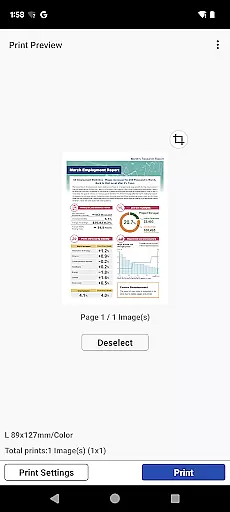
Canon PRINT is a versatile mobile application designed to enhance your printing experience with Canon printers. This app allows users to easily set up their printers, initiate print jobs, and perform scanning tasks directly from their mobile devices. It supports a wide range of Canon printer models including PIXMA, MAXIFY, imagePROGRAF, imageFORCE, imagePRESS, imageRUNNER ADVANCE, Color imageRUNNER, imageRUNNER, Satera, imageCLASS, i-SENSYS series, and SELPHY compact photo printers.
In addition to basic printing and scanning functions, Canon PRINT offers convenient features such as checking consumable levels and cloud printing capabilities. Whether you're at home or in the office, this app ensures seamless connectivity and efficient management of your printing tasks. The app's intuitive interface and comprehensive functionality make it an essential tool for maximizing the performance of your Canon printer.
One of the standout features of Canon PRINT is its broad compatibility with various Canon printer series. From inkjet printers like PIXMA TS, TR, MG, MX, G, E, PRO, MP, iP, and iX series to laser printers such as imageFORCE, imagePRESS, imageRUNNER ADVANCE, Color imageRUNNER, imageRUNNER, Satera, imageCLASS, and i-SENSYS series, the app covers a vast array of models. Additionally, it supports compact photo printers like SELPHY CP900 series, CP910, CP1200, CP1300, and CP1500.
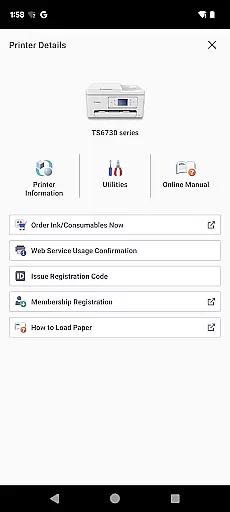
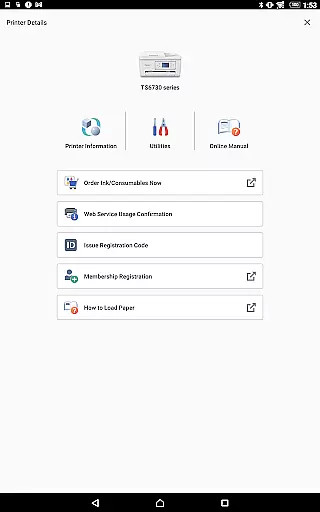
Canon PRINT also provides practical tools that improve user convenience. Users can check the levels of consumables such as ink or toner directly through the app, ensuring they never run out unexpectedly. Furthermore, the cloud printing feature enables users to print documents stored online without needing to download them first. These functionalities not only streamline the printing process but also offer greater flexibility and control over printer management.
Canon PRINT delivers exceptional accuracy and effectiveness in its core functions, ensuring users can seamlessly interact with their Canon printers. The app allows for precise setup and configuration of a wide range of printer models, from PIXMA TS series to imageRUNNER ADVANCE series. This meticulous attention to detail guarantees that every print job is executed exactly as intended.
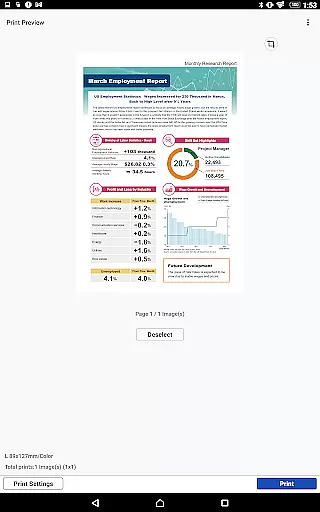
The app's functionality extends beyond basic printing. It enables users to check consumable levels with real-time accuracy, preventing unexpected shortages during critical print jobs. Additionally, the cloud printing feature maintains perfect document fidelity, regardless of file type or size, making it an indispensable tool for both personal and professional use.
What sets Canon PRINT apart is its ability to maintain consistent performance across different printer series and types. Whether you're using an inkjet printer at home or managing a fleet of laser printers in an office environment, the app ensures optimal performance and reliability. This versatility makes it an essential utility for anyone relying on Canon printing solutions.
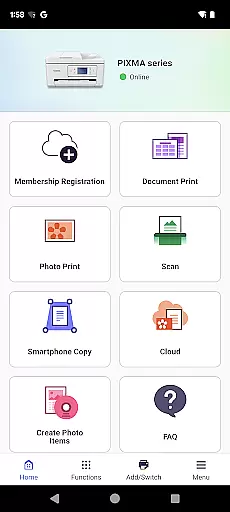
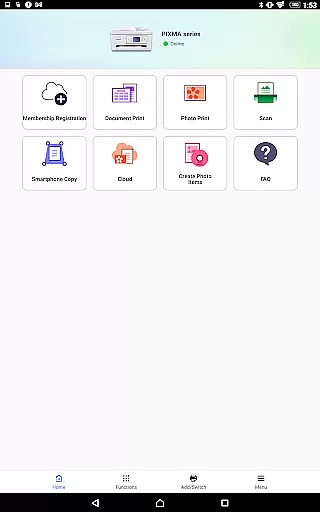
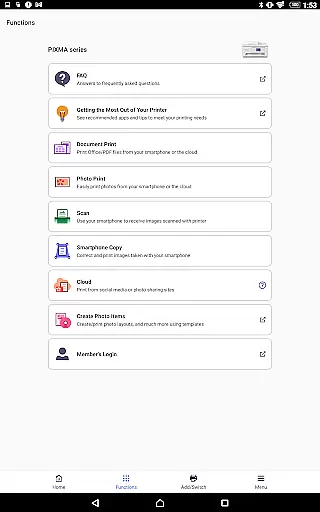
The user interface of Canon PRINT exemplifies simplicity and intuitiveness, making printer management accessible even for non-technical users. The main dashboard presents all essential functions in a clear, organized manner, allowing users to quickly access printing, scanning, and maintenance features without navigating through complex menus.
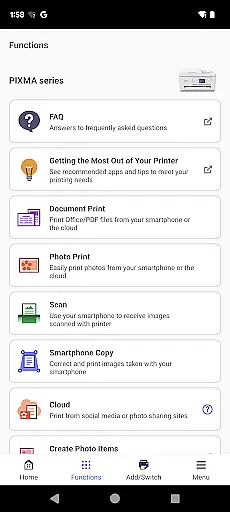
Each function is represented by easily recognizable icons and straightforward labels, eliminating guesswork when performing common tasks. The app guides users through printer setup with step-by-step instructions, ensuring successful installation every time. This approach significantly reduces the learning curve typically associated with printer management software.
Advanced features are implemented without compromising the app's intuitive nature. For instance, the cloud printing option is integrated seamlessly into the interface, maintaining the same level of simplicity while offering sophisticated functionality. This careful balance between powerful capabilities and user-friendly design demonstrates Canon's commitment to creating tools that enhance productivity without overwhelming users.
User-friendly interface
Wide printer compatibility
Cloud printing support
Consumable level monitoring
Comprehensive scanning options
Limited to Canon printers
Some features region-restricted
Occasional connectivity issues
No advanced editing tools
Dependent on network stability

Just one-tap to easy translate in any language after calls within seconds.
 4.20
4.20
Just swipe the edge to do something!
4.40
Safely recover deleted photos, videos, and files with a single easy tap.
3.70
Quickly & easily calculate the spacing of handrail balusters
4.20
Small and simple app to Verify Root Access and BusyBox Install!
4.70
Effortlessly run ADB commands directly on your device without a PC.
4.20
Play your X-Box games remotely in 1080p with any controller and zero latency
4.60
Remote Play with FSR upscaling, low latency & full controller support
4.80
Clean up large files and similar photos, fast and easy to use
4.40
Navigate with Ease and Style
4.90
Extremely fast, secure, and protects your privacy
4.80
Connect instantly to a fast, encrypted VPN with one tap
4.60
An easy-to-use calculator designed to save time calculating and bending conduit
4.30
Smart and comfortable browsing experience.
3.80
This app unlocks the Pro features of the Central for DayZ app
3.60


User Reviews