
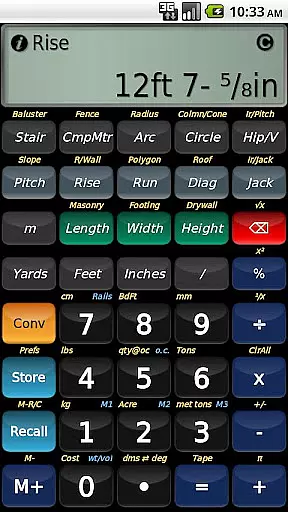
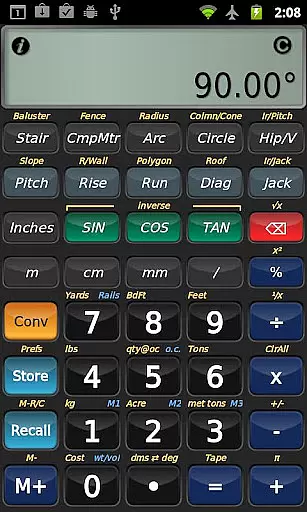
BuildCalc is a premier construction calculator app designed to provide advanced functionality with reduced complexity. It offers specialized tools for construction professionals, including an advanced baluster function, stair layout capabilities, and a fence function that calculates materials needed for custom jobs. The app stands out through its interactive functions that automatically update results when input values change, eliminating the need for repetitive button presses.
In addition to its functional prowess, BuildCalc provides users with more answers by allowing customization of sizes for masonry, drywall, and roofing functions. This flexibility ensures that users are not constrained by predefined dimensions and can store custom sizes. With features like full daylight visibility mode and emulation of Construction Master® Pro functionalities, it caters to a wide array of construction calculation needs while ensuring ease of use.
The true value of BuildCalc lies in its ability to simplify complex calculations without compromising on detail or accuracy. Whether you're laying out a staircase or calculating materials for a fence, this app streamlines the process, saving time and reducing errors. Its intuitive design and comprehensive feature set make it an indispensable tool for construction professionals seeking efficiency and precision on the job.
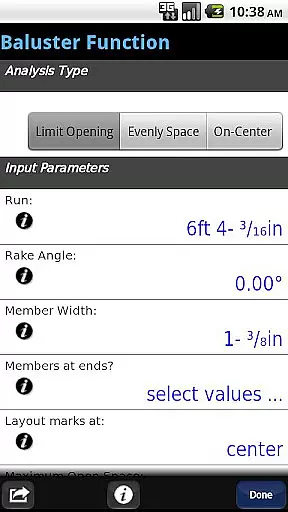
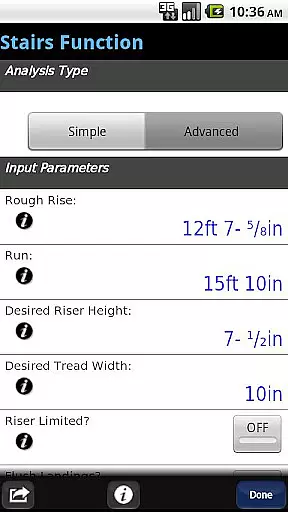
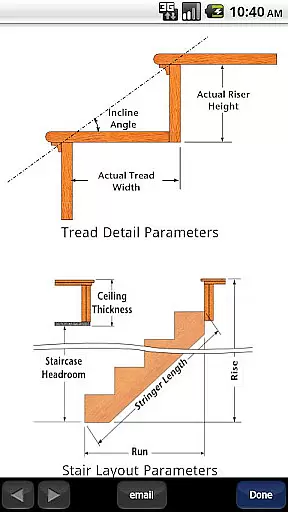
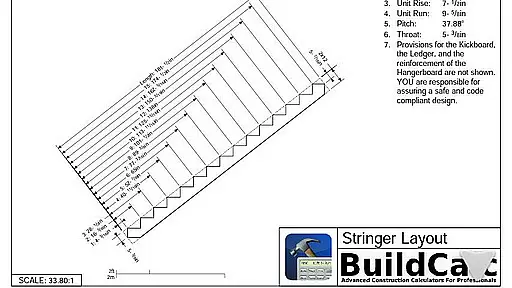
BuildCalc distinguishes itself with a robust set of features tailored for construction professionals. One of its standout features is the advanced baluster function, which simplifies railing and staircase baluster layouts with minimal guesswork. The app also includes an advanced stair function that provides dimensioned drawings of stringers and finished staircases, which can be shared via email as PDFs.
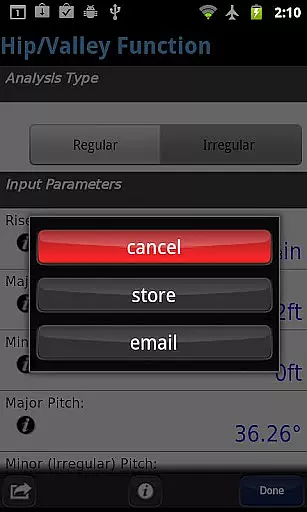
Another remarkable aspect is the app's interactivity; users can modify inputs such as run or switch between regular and irregular hip roof analyses, with automatic result updates. This interactive capability extends to compound miter calculations and more, offering a dynamic user experience. Additionally, BuildCalc supports full daylight visibility, making it suitable for use in various lighting conditions.
BuildCalc further impresses with its ability to store custom sizes for different materials, from shingles to sheathing angles, allowing for personalized calculations. The inclusion of both miter saw and protractor results at the tap of a button showcases its versatility. By minimizing keystrokes and providing clear input checklists, BuildCalc reduces user error and enhances productivity, cementing its status as a top-tier construction calculator app.
Collaborative work features are essential for any business tool aiming to enhance team productivity and streamline project workflows. BuildCalc excels in this area by offering interactive functions that allow teams to efficiently plan and execute complex construction projects.
The application provides advanced functionalities such as the Stair and Baluster functions, which are fully interactive. Teams can easily adjust input values like Run measurements or switch between Regular and Irregular Hip Roof analyses. These changes automatically update results, ensuring everyone is on the same page without the hassle of remembering specific key presses.
Moreover, BuildCalc supports sharing and communication within teams. For instance, users can email a PDF of dimensioned drawings directly from the app. This feature facilitates better collaboration as team members can print or share these detailed plans, ensuring accurate implementation of designs and reducing miscommunication.
By integrating comprehensive tools with seamless interaction and sharing capabilities, BuildCalc significantly enhances collaborative efforts, allowing teams to focus more on execution and less on managing complex calculations manually.
Effective task management is crucial for ensuring that projects are completed on time and within scope. BuildCalc addresses this need by providing robust tools that simplify task tracking and management for construction professionals.
One standout feature is the ability to save results from advanced functions. Instead of manually noting down outcomes, users can store complete results conveniently. This ensures that critical data related to various tasksu2014such as stair layouts, baluster placements, and roof analysesu2014are securely saved and easily accessible when needed.
Additionally, BuildCalc offers functionalities that reduce complexity in task execution. For example, the Drywall and Masonry 'Room Mode' requires just a tap to calculate material needs based on stored room dimensions. This eliminates the need for complex key sequences and allows users to quickly determine requirements, thus streamlining task management processes.
Overall, BuildCalc's innovative approach not only simplifies task management but also empowers users to handle intricate construction calculations with greater efficiency and accuracy, ultimately leading to improved project outcomes.
User-friendly interface
Customizable material sizes
Automatic result updates
Advanced baluster function
Comprehensive stair layout tools
No offline functionality
Occasional bugs reported
Limited free version
Requires learning curve
Premium cost

Completed Course Lectures on how to use IBM Maximo in Maintenance issues
 4.2
4.2
Measure distances, surfaces and draw plans in seconds with CamToPlan!
4.40
The All-in-One File Manager for Phone, TV, Watch, Cars, XR / VR, Chromebook
4.10
Get instant construction estimates: accurate home repair & material calculator.
4.70
Find work, shifts and gigs near you. Jobs lasting a few hours to a few months.
4.30
Use Generative Summary to understand your rental or insurance docs in seconds.
4.70
Build a store in minutes with our full suite of AI tools. Start for free!
4.20
Find jobs near you and temp work in minutes, from your phone.
4.50
USPS Mobile®Access USPS.com’s most popular tools on-the-go.
4.70
Manage Your Shop
4.70
Collaborate seamlessly with Google Chat, part of Google Workspace
4.50
The revolutionary flexible staffing platform
4.40
One marketplace. Hundreds of services. Unlimited possibilities. All on Fiverr.
4.40
All Your Gig Work. One App.
4.30
Deliver and earn money
4.30


User Reviews