
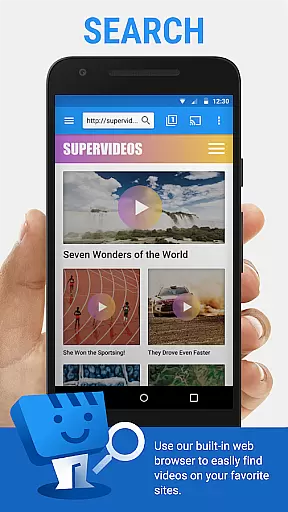
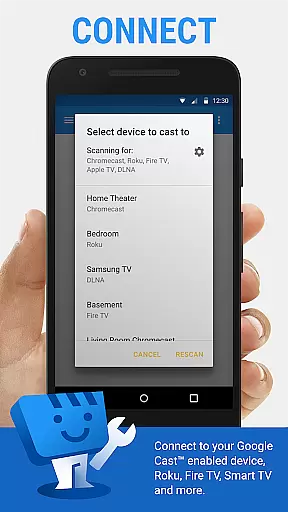
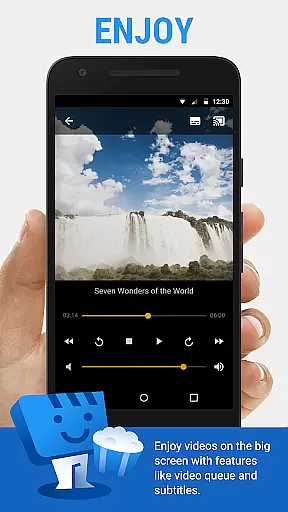
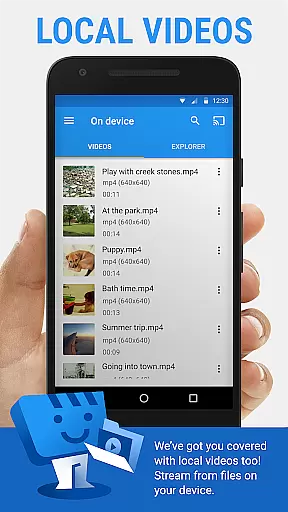
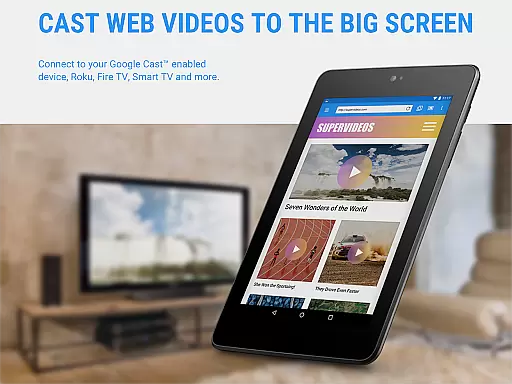
Web Video Cast is a versatile streaming application that enables users to cast videos, photos, and audio files from their mobile devices or the web directly to their TV. The app supports popular streaming devices such as Chromecast, Roku, DLNA receivers, Amazon Fire TV, and more, allowing for seamless media playback on larger screens. With its ability to detect subtitles on web pages and support for local file casting, Web Video Cast offers a comprehensive solution for enjoying multimedia content.
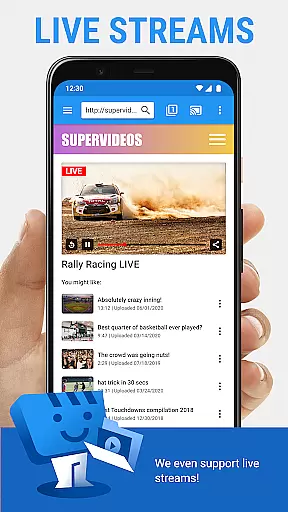
The app's functionality extends beyond simple video casting; it also allows users to stream live news, sports, and other HTML5-compatible videos. By supporting various formats including MP4 and M3U8 HLS streams, Web Video Cast ensures compatibility with most modern smart TVs and streaming devices. Whether you're looking to enjoy your favorite movies or share memorable photos on a bigger screen, this app provides an intuitive platform for all your casting needs.
Web Video Cast stands out with its extensive feature set tailored for diverse streaming requirements. One of its key features is the ability to cast both online content and locally stored media files, making it a flexible tool for entertainment. Users can browse the web within the app to find videos or access their device's storage to cast personal media, ensuring a wide range of content is available for streaming.
In addition to basic casting capabilities, the app offers advanced functionalities like subtitle detection and integration with OpenSubtitles.org for enhanced viewing experiences. Premium features, available through in-app purchases, provide users with additional benefits such as ad-free browsing, bookmarks, video history, and more. These features collectively enhance user engagement by offering customization options and improving overall usability.
Video format compatibility is a crucial feature for any video player and editor, ensuring that users can enjoy a wide range of media without technical hindrances. Web Video Cast supports various formats including MP4 videos, HLS live streams in M3U8 format, and any HTML5 videos, provided the streaming device can decode them. This flexibility allows users to cast local videos stored on their phone, movies, TV shows, live news, sports, photos, and audio files to their TV seamlessly.
The application's support extends to popular streaming devices like Chromecast, Roku, DLNA receivers, Amazon Fire TV, and many smart TVs. By covering such a broad spectrum of devices and formats, Web Video Cast ensures that users are not limited by their hardware choices or video sources. Whether it's through the integrated casting feature or via web browsers by visiting a specific URL, users can stream content from their favorite websites directly to their TV.
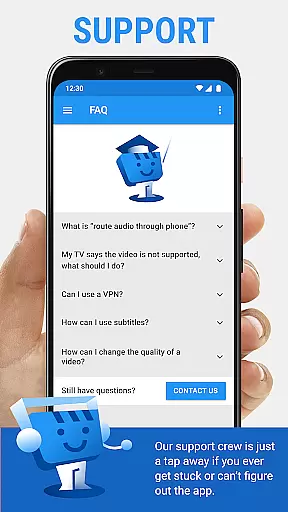
For users who encounter compatibility issues with certain brands or models, the app provides a channel to report these problems. This proactive approach helps maintain an up-to-date list of supported devices and fosters a better user experience. With Web Video Cast, you gain access to a versatile tool that bridges your digital content with your home entertainment system, making multimedia sharing effortless and enjoyable.
AI-powered editing features represent the cutting edge of video player and editor technology, offering users advanced tools to enhance their viewing experience. While Web Video Cast primarily focuses on streaming capabilities, its intelligent handling of subtitles showcases some AI-like functionality. The app detects subtitles on web pages automatically, allowing users to utilize existing ones or search for new ones via OpenSubtitles.org. This feature simplifies the process of adding accurate captions to streamed content, enhancing accessibility and comprehension.
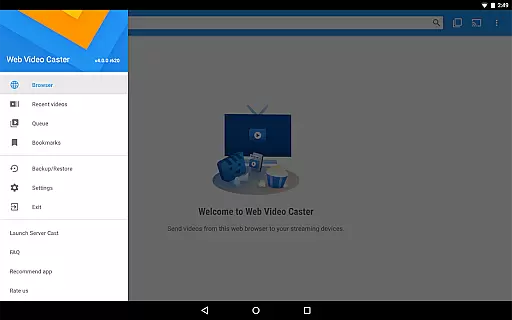
Although Web Video Cast does not perform video or audio decoding, its ability to manage different types of media files indicates a level of sophistication in handling multimedia content. Users can cast local videos, photos, and audio files, knowing that the app will maintain the integrity of their media during transmission. The inclusion of premium features such as bookmarks, video history, and a queue further enriches the user experience by providing convenient ways to organize and access content.
By integrating these smart functionalities, Web Video Cast demonstrates its commitment to leveraging technology for a more intuitive and personalized user experience. These features collectively contribute to a smoother, more engaging interaction with digital media, setting the app apart in the realm of video players and editors. Whether you're looking to stream content effortlessly or customize your viewing preferences, Web Video Cast offers a comprehensive solution tailored to modern needs.
User-friendly interface
Wide device compatibility
Supports various media formats
Integrated subtitle search
Regular updates and improvements
Premium features require purchase
No tab casting functionality
Limited control over server-side issues
Permissions may raise privacy concerns
Compatibility issues with some devices

The smartest M3U IPTV Player your playlists have ever seen.
 4.4
4.4
A full editing room to accompany your Insta360 cameras and handheld gimbals.
3.30
Video Downloader is an utility that can save videos and music from web sites
4.20
Video player with powerful streaming playback and various convenient features.
2.10
Download videos easily & play them all in one smart, powerful video manager.
3.40
Video Downloader, Multiple Resolution Options, Video Player
4.50
Browser for Fire TV to stream webvideos, online movies, livestreams in HD
4.40
Livestream, news, & gaming content. Watch, chat, and upload. Join Rumble today!
3.80
Fast private browser with secure, seamless access & supported video downloads!
4.00
High-Quality USB Camera Viewer & HDMI Display
4.70
Full HD Video mp3 Player, MP4 player play 1080p, File manager, Video Downloader
4.40
KMPlayer Plus (Divx Codec) officially support Divx codec.
4.30
Cast to Smart TV, Fire TV. Cast video, photo - Fast & Stable!
3.90
Watch full episodes of your favorite Cartoon Network and Cartoonito shows!
3.50
The essential companion to your Blue Iris PC software
2.50


User Reviews