
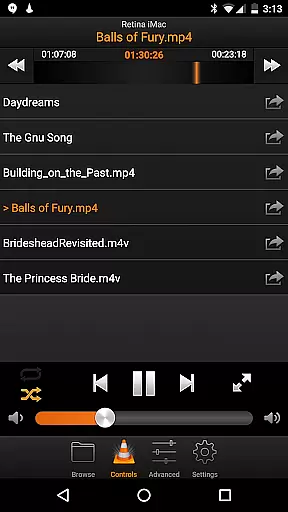
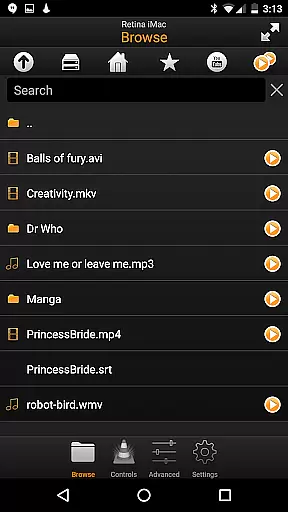
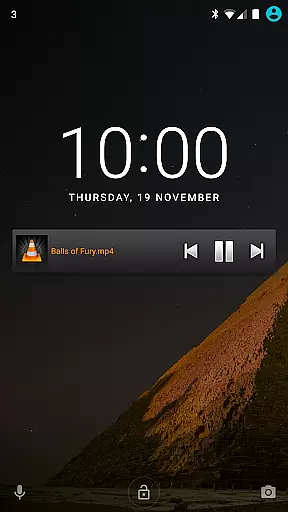
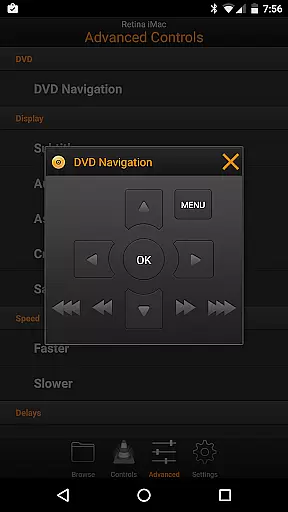
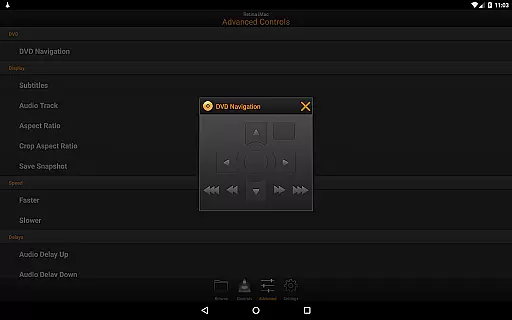
VLC Remote is a powerful and user-friendly application designed to enhance your multimedia experience by allowing you to control VLC media player directly from your Android device. With its intuitive interface, this app lets you effortlessly manage your movies, music, and more without having to get up from your seat.
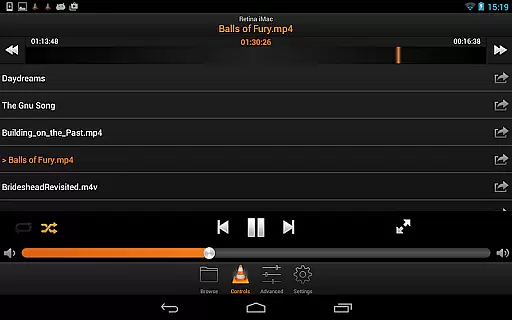
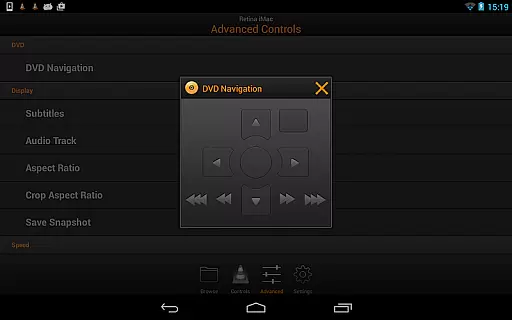
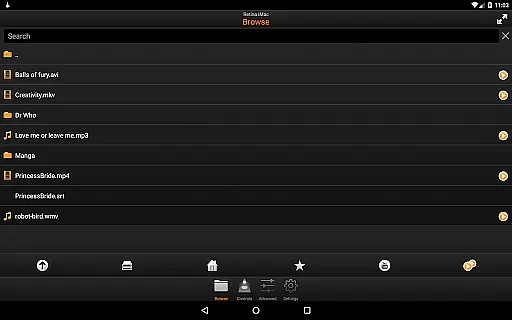
One of the standout features of VLC Remote is its free setup helper that configures both VLC and your Android device with just a few button clicks. This ensures a seamless connection between your devices, making it easy to browse and play any file from your computer, control DVD playback, adjust volume, position, and track settings, and even manage subtitles and aspect ratios.
Whether you're relaxing on the sofa or need to access external drives, VLC Remote provides comprehensive control over your media environment, offering convenience and functionality in one package.
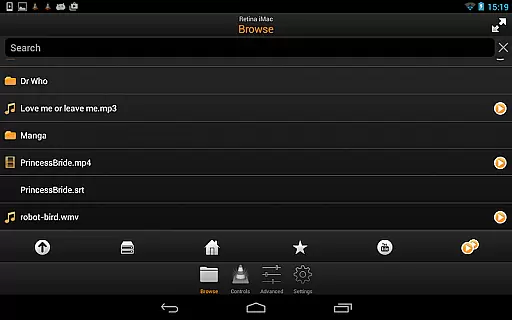
VLC Remote boasts an array of features that cater to both casual viewers and tech-savvy users. The app's automatic configuration tool simplifies the setup process, ensuring that even those with minimal technical knowledge can enjoy its benefits. Once configured, users gain full browsing control, enabling them to play any file stored on their computer directly through the app.
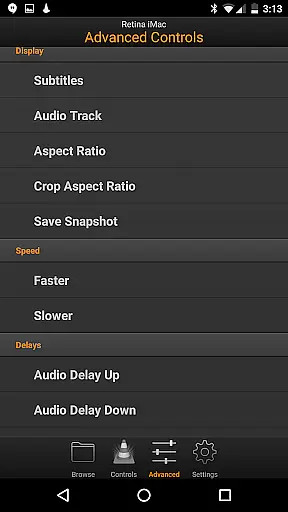
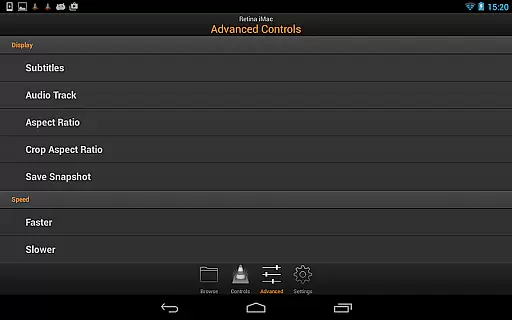
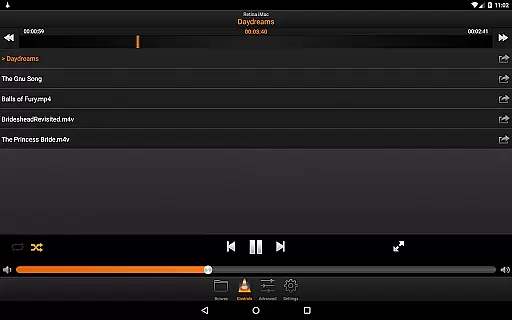
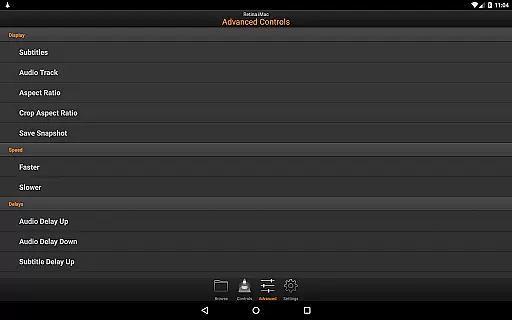
In addition to basic playback controls, VLC Remote offers advanced functionalities such as DVD navigation, volume adjustment, position tracking, and the ability to toggle fullscreen mode. Users can also fine-tune their viewing experience by controlling subtitles, aspect ratios, audio tracks, and delays, providing unparalleled customization options.
The app's compatibility with external drives further expands its utility, allowing users to access and manage media files stored on various devices within their network. This versatility makes VLC Remote an indispensable tool for anyone looking to streamline their multimedia management.
Video format compatibility is a crucial feature for any video player or editor application. VLC Remote excels in this area by offering extensive support for various video formats, ensuring that users can play virtually any file type without the need for additional codecs or conversions.
The app leverages the powerful VLC engine to provide seamless playback of files stored on your computer directly from your Android device. Whether you're dealing with common formats like MP4 and AVI or more specialized ones such as MKV and FLV, VLC Remote handles them all with ease.
This broad compatibility allows users to enjoy their entire media library without worrying about format restrictions. The ability to access external drives further enhances this feature, giving users the freedom to manage and play videos from multiple storage locations.
By removing technical barriers and simplifying the playback process, VLC Remote ensures an uninterrupted entertainment experience. This makes it an ideal choice for users who want hassle-free video playback across different file types.
While VLC Remote is primarily designed for remote control functionality rather than video editing, it still offers some intelligent features that enhance the user's interaction with their media. Although not traditional AI-powered editing tools, these smart functionalities contribute significantly to a more efficient and enjoyable media management experience.
The application provides full browsing control, enabling users to play any file from their computer through an intuitive interface on their Android device. This includes advanced DVD controls and comprehensive media management options such as volume adjustment, position tracking, and subtitle settings.
These features work together to create a smarter viewing experience. Users can easily switch between fullscreen modes, adjust aspect ratios, modify audio tracks, and control subtitle delays u2013 all from their mobile device. Such capabilities demonstrate how intelligent design can simplify complex media operations.
Though not a conventional video editor, VLC Remote's smart features effectively bridge the gap between basic remote control functions and sophisticated media management, making it an invaluable tool for anyone looking to enhance their home entertainment setup.
User-friendly interface
Automatic setup helper
Comprehensive media control
Advanced customization options
External drive compatibility
Limited to VLC media player
Requires initial setup
Dependent on network stability
No standalone media player
Premium version costs extra

Powerful, professional, versatile teleprompter. Developed by an active film crew
 4.00
4.00
Save photos and videos from social apps in one tap.
3.60
Photo and Music Video Creator into Stunning Videos—Effortlessly
4.40
Stream high quality video from your camera over NDI protocol
4.4
Seamlessly connect and control your smart devices, anytime, anywhere with ease.
4.60
All in one multi protocols stream receiver for AirPlay, Cast and DLNA.
3.60
Browser for Samsung TV to stream webvideos, online movies and livestreams in HD
4.10
A Simple app to download Video & Music from the Internet.
4.70
AI Video Editor with Music, Filter, Slideshow, Effect, Merge & Trim Video.
4.80
A Quick and Pro Video Editor
4.70
GENRAL PRO - General Pro is the best video player that fully supports all formats.
4.70
Cast Videos from Web Browser, IPTV to Roku, Chromecast, DLNA, Smart TV +more
4.60
Browser + Remote for Roku to stream webvideos, online movies and livestreams
4.60
Add date and time watermark to photos and videos
4.50
LumaFusion: The Ultimate Storytelling Experience for Video Editing
4.10


User Reviews