
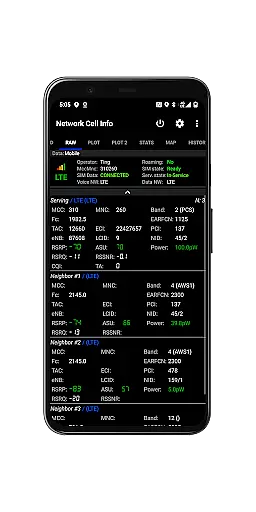
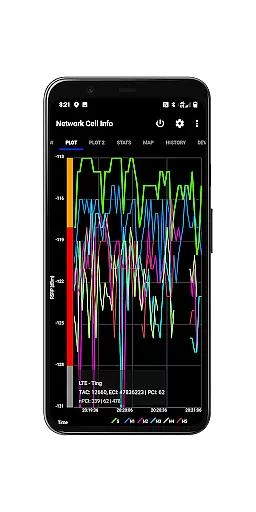
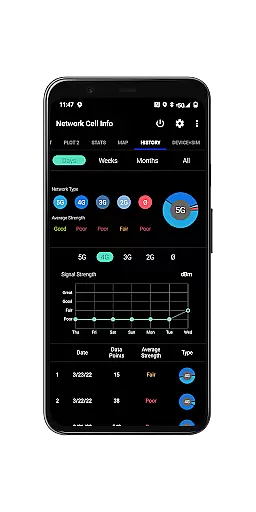
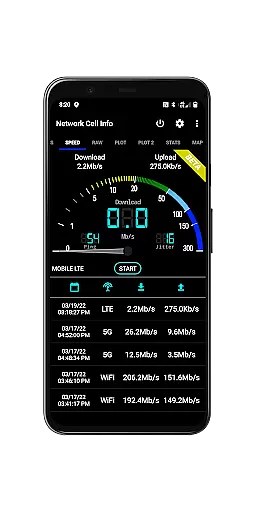
Network Cell Info & Wifi is a comprehensive mobile network and Wi-Fi monitoring tool designed for users seeking to optimize their connectivity experience. This app provides detailed insights into cellular and Wi-Fi signals, including 5G, LTE, CDMA, WCDMA, and GSM networks. With its advanced diagnostic features, users can troubleshoot reception issues, monitor signal strength history, and identify connected cellular towers.
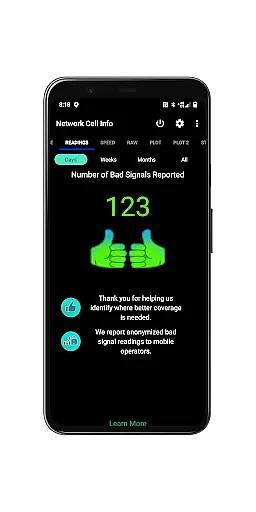
A standout feature of the app is the Bad Signal Reporter, which automatically collects data on poor signal areas from users who opt-in, helping mobile network operators improve coverage. Whether you're a tech enthusiast or someone looking to enhance your mobile experience, Network Cell Info & Wifi offers valuable tools to achieve optimal signal strength and network performance.
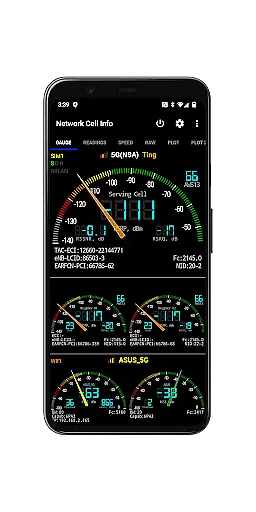
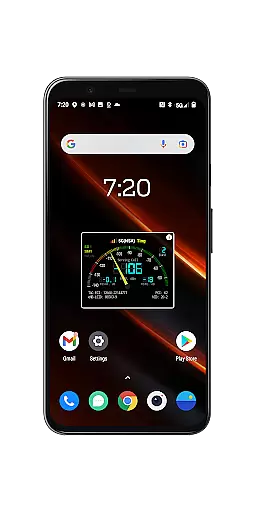
Network Cell Info & Wifi stands out with its extensive range of features tailored for network monitoring and diagnostics. The app provides almost real-time (1-second intervals) monitoring of cellular and Wi-Fi signals through its Gauge and Raw Tabs, supporting technologies like 5G, LTE+, LTE, UMTS, GSM, and CDMA. It also includes dual-SIM support and up to six signal-meter gauges for SIMs and Wi-Fi.
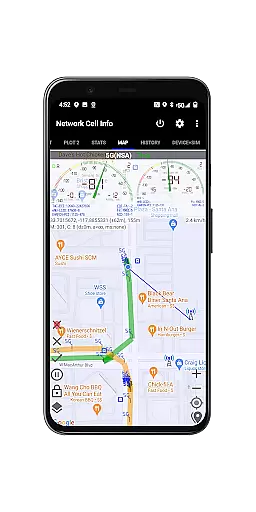
Additional functionalities include one-tap speed tests for internet performance (download, upload, ping, and jitter), signal plots for multiple cells, and a Personal Best Signal Finder that maps signal strength history by location. Users can access crowdsourced data to locate the nearest best signals, view connection statistics, export measurement databases, and utilize various measurement settings such as minimum distance and accuracy filters. These features collectively empower users to maximize their network quality and resolve connectivity challenges effectively.
Network Cell Info is designed to provide users with precise and effective tools for monitoring mobile network and Wi-Fi signals. The app supports a wide range of network types including 5G, LTE+, LTE, CDMA, WCDMA, and GSM, ensuring comprehensive coverage for different user needs. With almost real-time monitoring capabilities, it delivers updates every second, allowing users to stay informed about their signal strength and network performance.
The app's functionality extends to providing detailed insights into cellular carrier signals and WiFi performance through its Gauge/Raw Tabs. Users can perform one-tap speed tests to measure download, upload, ping, and jitter, which are crucial metrics for evaluating internet performance. Additionally, the inclusion of dual-SIM support and up to six signal-meter gauges ensures that users with multiple devices or SIM cards can manage their connections effectively.
For users experiencing connectivity issues, Network Cell Info offers diagnostic tools such as Signal Plots and History Logs. These features allow users to visualize signal strength over time and identify patterns or persistent problems. By offering a Personal Best Signal Finder and Crowdsourced Best Signal Finder, the app not only helps individuals optimize their own signal reception but also benefits the broader community by sharing data on optimal signal locations.
Despite its technical depth, Network Cell Info maintains an intuitive and user-friendly interface. The app's design emphasizes clarity and ease of use, ensuring that even those unfamiliar with network diagnostics can navigate and utilize its features effectively. Key functionalities are easily accessible through clearly labeled tabs such as Gauge, Raw, Map, and Readings, each providing specific insights without overwhelming the user.
One of the standout aspects of the interface is the visual representation of data. Network Cell Info employs signal-meter gauges, graphical plots, and color-coded indicators to present complex information in an easily digestible format. This approach allows users to quickly interpret their network status and make informed decisions about their connectivity options. Furthermore, the app provides a Status Bar and Raw View for users who prefer a more technical overview of their network information.
To enhance user experience, Network Cell Info includes customizable settings such as SIM preferences, measurement parameters, and database export options. These settings empower users to tailor the app to their specific needs while maintaining a straightforward setup process. Overall, the combination of powerful functionality and an intuitive interface makes Network Cell Info a valuable tool for anyone looking to optimize their mobile network experience.
Comprehensive network monitoring
Real-time signal tracking
Advanced diagnostic tools
Dual-SIM support
Free Bad Signal Reporter
Complex for beginners
Requires technical knowledge
Limited CDMA support
Some features need opt-in
Interface may feel cluttered

 4.10
4.10
Easily install aab(Android App Bundle) files on your Android device with our app
4.80
PDF Reader - Document Viewer: Read, Manage & Organize Your Documents
3.10
Complete kernel toolbox with features to manage and tweak your rooted device
4.30
Remote for Roku, Fire TV, Samsung TV, LG TV, Android TV, Chromecast and VIZIO TV
4.20
Safely recover deleted photos, videos, and files with a single easy tap.
3.70
Canon PRINT is a companion app for your Canon printer.
4.60
ADB support Android 4.X-Android 13(Support wireless pair mode).No root required!
4.70
Pro Emulator is an easy to use game console emulator for a range of consoles.
4.40
Support Fossify apps with a warm thank you!
5.00
Learn the vast amount of system information about device and monitor it's state
4.70
Optimize your WiFi network, turn your phone into Wifi Analyzer
4.70 4.50
4.50
A convenient photo, video, and file recovery tool.
4.00
Undelete and recover your lost or deleted files with DiskDigger!
3.40


User Reviews