
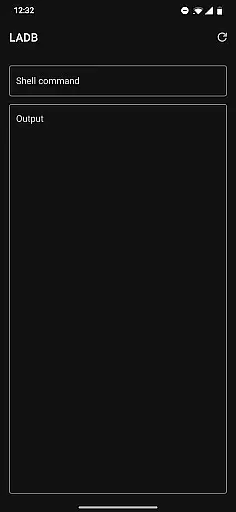
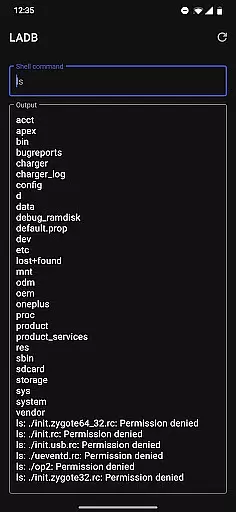
LADB — Local ADB Shell is a powerful tool designed for developers and advanced users who need to execute ADB commands directly on their Android devices without requiring a computer. The app bundles an ADB server within its libraries, enabling local shell access through Wireless ADB Debugging.
With LADB, users can perform various debugging and device management tasks efficiently. It supports manual pairing for connection setup, ensuring compatibility even with challenging device configurations. This makes it an invaluable tool for troubleshooting and development purposes.
The application is particularly useful in scenarios where physical USB connections are impractical or unavailable. By providing direct shell access, LADB empowers users to manage their devices, install applications, and modify system settings seamlessly.
LADB offers several notable features that enhance the debugging and management capabilities on Android devices. One of its core functionalities is the integrated ADB server, which facilitates local command execution without needing external hardware.
The app provides a reliable solution for wireless debugging by supporting manual pairing methods. Users can establish a stable connection by entering pairing codes and ports directly, bypassing common connectivity issues. This feature ensures consistent performance even with varying Android versions.
Additionally, LADB emphasizes user privacy and data security. It operates entirely offline, ensuring that no device data is transmitted externally. This approach not only enhances security but also builds trust among users who prioritize data protection while performing sensitive operations.
LADB u2014 Local ADB Shell is designed to provide an integrated ADB server within the app, enabling users to execute ADB commands directly on their Android devices without requiring a USB connection. This core functionality is crucial for developers and power users who need to troubleshoot or modify their devices efficiently.
The application leverages Android's Wireless ADB Debugging feature, allowing seamless communication between the client and server locally. By bundling the ADB server within its libraries, LADB ensures that all operations are performed accurately and effectively, maintaining the integrity of the debugging process.
Users benefit from this precise implementation as it eliminates the dependency on physical connections, thus offering greater flexibility in device management. The ability to pair devices wirelessly and execute commands reliably enhances productivity and simplifies complex tasks.
Overall, LADB's commitment to functional accuracy ensures that users can depend on it for various development and diagnostic activities, making it an indispensable tool for anyone involved in Android development.
A significant aspect of LADB's design philosophy is to maintain an interface that is both simple and intuitive, catering to users with varying levels of technical expertise. The initial setup process is streamlined through clear instructions and support for split-screen mode, which allows simultaneous access to settings and the app, ensuring a smooth pairing experience.
The user interface is crafted to guide users through each step, from establishing a wireless debugging connection to inputting necessary pairing codes and ports. This logical flow minimizes confusion and potential errors during configuration, enhancing overall usability.
By focusing on clarity and ease of use, LADB reduces the learning curve typically associated with advanced tools. Users can quickly adapt to the environment, allowing them to focus more on their tasks rather than navigating the software.
This emphasis on an intuitive interface not only improves user satisfaction but also encourages more frequent utilization of the appu2019s powerful features, ultimately leading to increased efficiency in managing Android devices.
User-friendly interface
Offline functionality
Efficient wireless debugging
Manual pairing support
Strong privacy protection
Incompatibility with Shizuku
Setup complexity
Occasional connectivity issues
Limited to Android devices
No cloud backup option

Just one-tap to easy translate in any language after calls within seconds.
 4.20
4.20
Unit and currency converter with easy and simple UI.
4.80
Unlock your Essential Key. Create custom shortcuts to your favorite apps!
4.1
eXtended Permission Manager - a small app to manage permissions and AppOps
4.50
Best leveling tool for your Android device. Hang paintings like a pro.
4.90
WiFi Signal Strength Meter help you detect WiFi Signal Strength in real time.
4.80
Fun lie-detection pranks for friends and parties.
3.80
Screen recorder with audio to record high-quality videos and take screenshots.
4.40
Enjoy a smooth mobile reading experience!
3.60
Enjoy smooth gameplay with Game Booster
4.90
Fast Video Downloader, Movie Downloader, Torrent Downloader & Adblock Browser
4.70
HD Camera captures every special moment.
4.60
Pro Emulator is an easy to use game console emulator for a range of consoles.
4.40
Amateur Radio app for APRS: Track friends, exchange messages, get tactical info.
3.90
This app unlocks the Pro features of the Central for DayZ app
3.60


User Reviews