
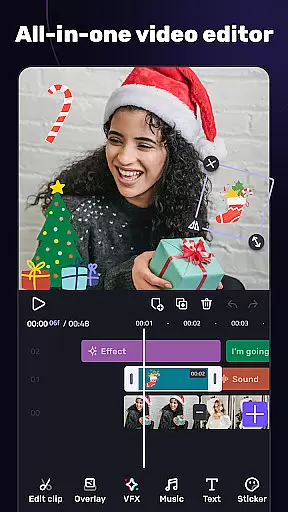
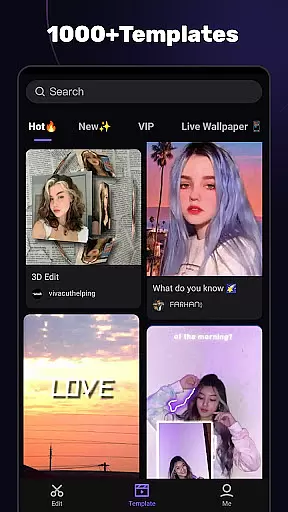
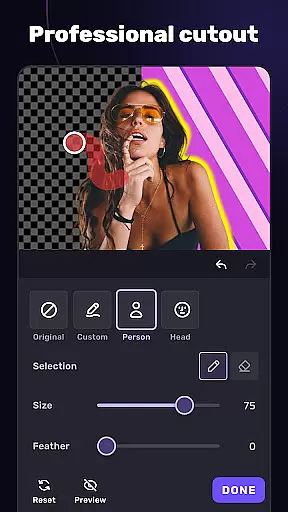
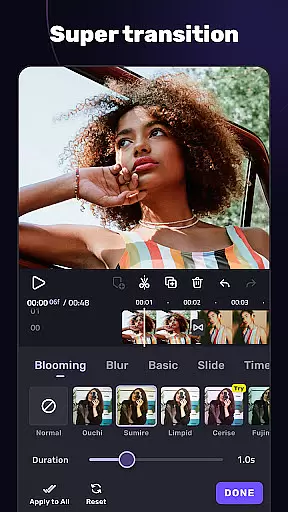
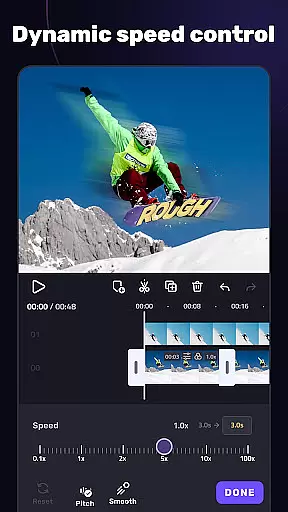
VivaCut is a versatile video editing application that combines professional-grade features with user-friendly functionality. Designed for both casual users and content creators, the app offers an extensive range of tools to create high-quality videos. With its multi-layer timeline, chroma key effects, and advanced animation features, VivaCut allows users to produce cinematic content suitable for platforms like YouTube, Instagram, and TikTok.
The app provides essential editing functions such as trimming, splitting, and merging clips, while also offering advanced capabilities like green screen effects, keyframe animations, and blending modes. These features enable users to craft visually stunning videos with precise control over every detail. Whether you're looking to create short social media clips or longer-form content, VivaCut delivers the tools needed to bring your creative vision to life.
VivaCut distinguishes itself through its comprehensive feature set tailored for various video editing needs. The app's multi-layer timeline allows for detailed frame-by-frame editing, while its text editing capabilities support diverse fonts, colors, and styles. Users can precisely trim and split videos, adjust playback speed, and apply smooth transitions between clips.
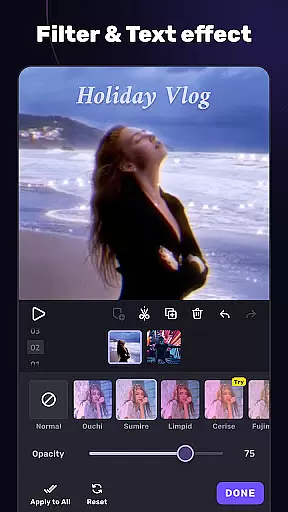
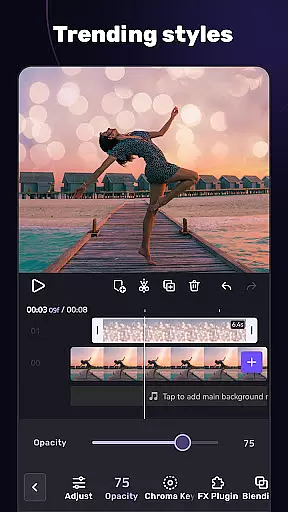
Advanced features include professional-grade chroma key effects for background replacement, keyframe animation for dynamic visual elements, and customizable masks for creative scene compositions. The app also supports picture-in-picture editing, video collages, and powerful blending modes like Color Burn and Soft Light. With its collection of filters, glitch effects, and music integration tools, VivaCut enables users to add professional touches to their projects while maintaining creative control throughout the editing process.
Video format compatibility is a crucial feature for any video editing application, ensuring that users can work with a wide range of video files without conversion hassles. AI Video Editor supports an extensive array of formats, allowing creators to import and export videos in resolutions up to 4K. This versatility ensures that whether you're editing footage from a professional camera or a smartphone, the app maintains the original quality while offering flexibility in project requirements.
The app's dedication to comprehensive format support extends to its rendering options. Users can customize video resolution settings, choosing between standard HD, Full HD, or Ultra HD outputs. This adaptability caters to various platforms' specifications, from social media stories to cinematic releases on YouTube. The inclusion of advanced exporting features means that content creators can optimize their videos for specific channels, enhancing both accessibility and viewer experience.
Moreover, the seamless integration of diverse file types simplifies collaborative projects. Editors working in teams can effortlessly combine different source materials without worrying about compatibility issues. This interoperability not only saves time but also expands creative possibilities, empowering users to focus on storytelling rather than technical limitations. With such robust format handling, AI Video Editor positions itself as an indispensable tool for modern videographers.
AI-powered editing features represent the cutting edge of video production technology, automating complex tasks and enabling creators to achieve professional results with minimal effort. AI Video Editor incorporates intelligent tools that revolutionize the editing process, starting with automated effect suggestions based on video content analysis. These AI-driven recommendations help users quickly enhance their projects with appropriate filters, transitions, and color corrections, streamlining the workflow for both beginners and experienced editors alike.
The application's artificial intelligence capabilities extend to audio processing, where it automatically detects and adjusts sound levels while removing background noise. This feature ensures consistent audio quality throughout the video, eliminating one of the most common challenges in post-production. Additionally, the AI-powered keyframe animation tool simplifies motion graphics creation, allowing users to generate sophisticated visual effects with just a few clicks. Such innovations significantly reduce production time while maintaining high-quality standards.
Furthermore, the app's machine learning algorithms continuously improve through user interaction, adapting to individual editing styles and preferences. This personalized approach enhances the creative process, providing tailored suggestions that evolve with the user's skill level. By integrating these advanced AI features, AI Video Editor not only accelerates the editing process but also democratizes professional-grade video production, making sophisticated techniques accessible to all creators regardless of their experience level.
User-friendly interface
Professional editing tools
Extensive effect library
Multi-platform support
Regular feature updates
Premium features locked
Subscription-based model
Resource-intensive operation
Steep learning curve
Limited free export options

Client application for NextPVR software
 3.00
3.00
HD Video player all format, HD Videos, Cast & Subtitle. No annoying ads.
4.60
Your media, on your terms.
4.10
A Quick and Pro Video Editor
4.70
Watch a large amount of high-definition short drama content
4.60
Mix with Virtual DJ directly from your phone or tablet !
3.10
Find, download, and play torrents with the official BitTorrent® Pro app
4.70
All in one multi protocols stream receiver for AirPlay, Cast and DLNA.
3.60
Video player with 4K & 1080P support, popup play, background play and subtitle.
4.20
Seamlessly connect and control your smart devices, anytime, anywhere with ease.
4.60
IPTV-Smarters Player Pro M3U - Watch Live Stream TV Channels with Chromecast
4.00
Connect 2 UVC devices for recording and broadcast video/audio stream
3.90
Browser for Sony TV to stream web videos, online movies and live tv
3.20
The smartest M3U IPTV Player your playlists have ever seen.
4.4
Powerful HD video player with support for all formats & subtitles.
4.2


User Reviews