
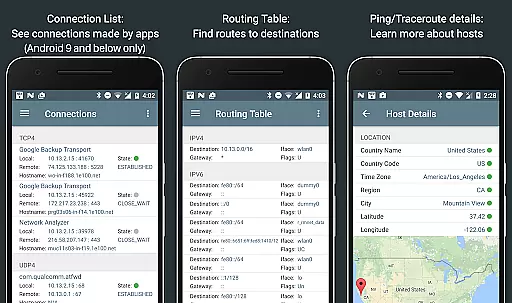
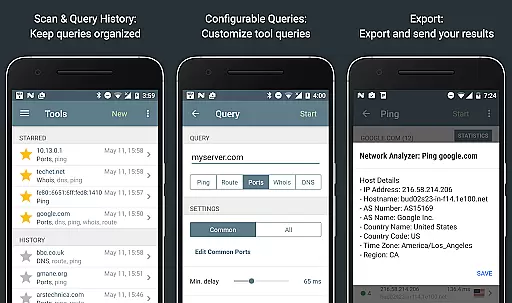
Network Analyzer Pro is a comprehensive network diagnostic tool designed to help users identify and resolve issues related to Wi-Fi networks, Internet connectivity, and remote server problems. The app offers a wide range of tools including a fast Wi-Fi device discovery feature, standard net diagnostic utilities like ping and traceroute, and detailed information on neighboring Wi-Fi networks.
In addition to its core diagnostic capabilities, Network Analyzer Pro provides advanced features such as a Wi-Fi signal meter, LAN scanner, routing table details, port scanner, whois lookup, DNS lookup, and internet speed testing. These features work seamlessly with both IPv4 and IPv6 protocols, ensuring broad compatibility and utility for various networking needs.
This application is particularly useful for IT professionals and tech-savvy individuals who need to troubleshoot network issues efficiently. By offering detailed insights into network performance and potential bottlenecks, Network Analyzer Pro helps optimize network setups and improve overall connectivity.
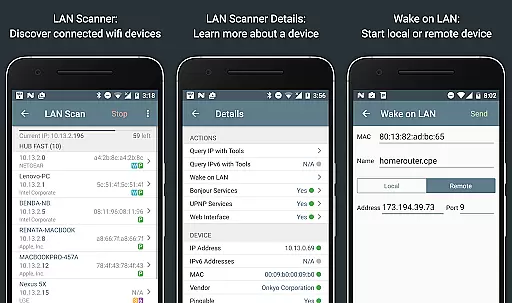
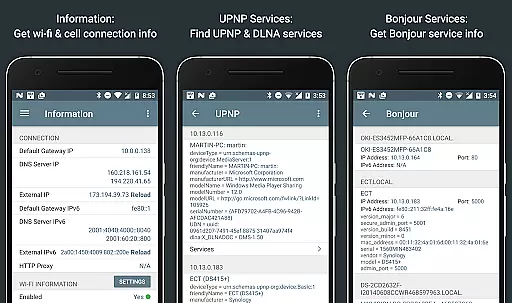
Network Analyzer Pro stands out due to its extensive suite of diagnostic tools. One of the key features is the fast Wi-Fi device discovery tool, which not only lists all devices on the local network but also identifies services they provide through Bonjour/DLNA. This allows users to quickly understand their network topology and identify any unauthorized devices.
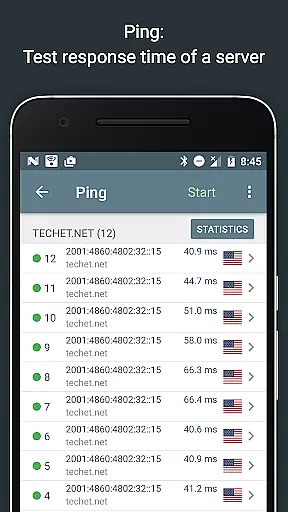
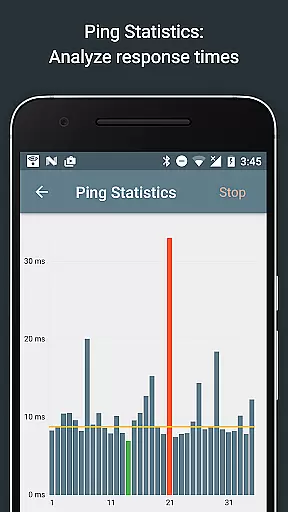
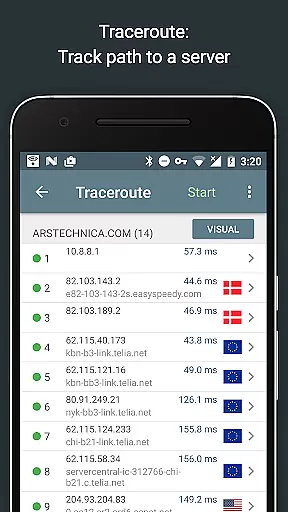
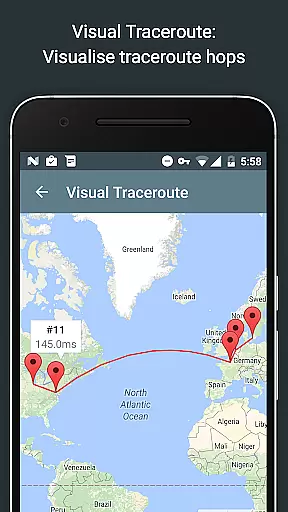
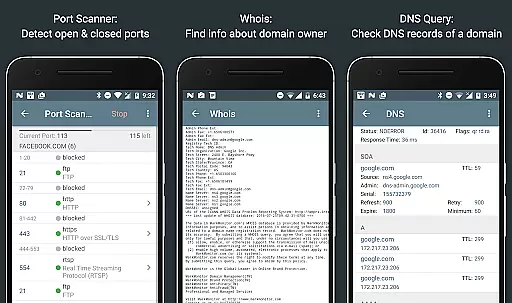
The app includes standard diagnostic tools such as ping, traceroute, port scanner, DNS lookup, and whois, each providing critical data about network health and security. For instance, the ping and traceroute functions offer geolocation data and visual trace route maps, while the port scanner detects open, closed, or firewalled ports, giving users a clear picture of their network's vulnerabilities.
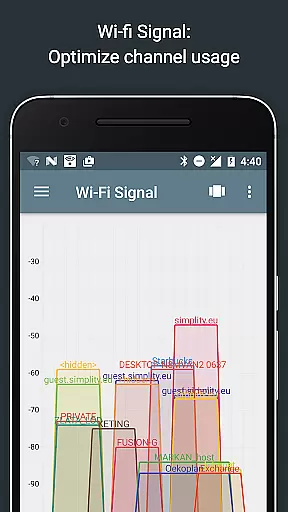
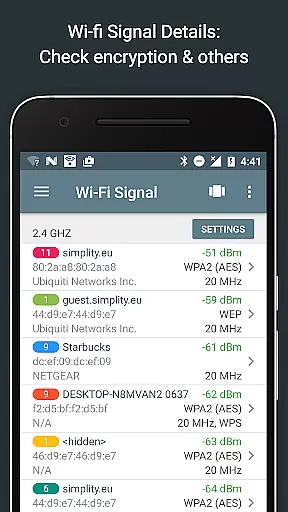
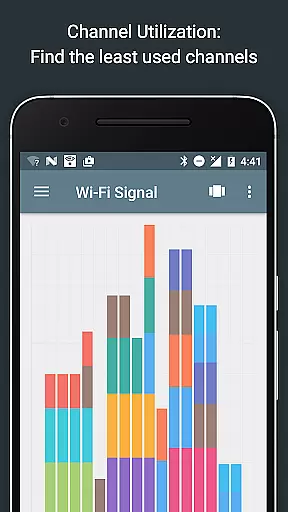
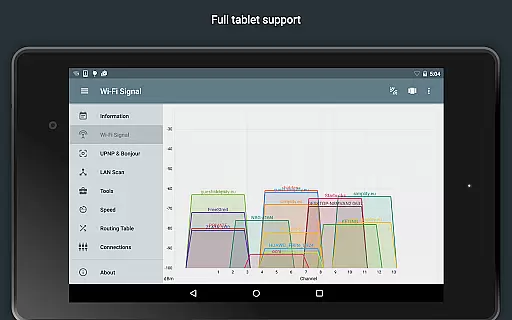
Another notable feature is the Wi-Fi signal meter, which provides both graphical and textual representations of network channels and signal strengths. This helps users determine the best channel for their wireless router, reducing interference and improving connection quality. Additionally, the app supports full IPv6 integration across all its features, making it future-proof and highly versatile for modern networking environments.
Network Analyzer Pro stands out for its precision and effectiveness in diagnosing network issues. This application is designed to identify problems within your wifi network setup, Internet connectivity, and even on remote servers using a comprehensive suite of diagnostic tools.
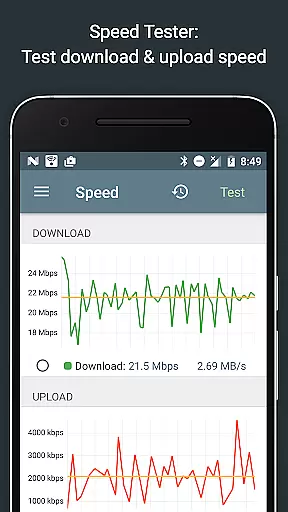
The app provides users with fast and reliable detection of all network devices through its LAN scanner, while also offering standard net diagnostic tools such as ping, traceroute, port scanner, DNS lookup, whois, and network speed test. These features ensure that whether you're troubleshooting local network issues or analyzing server accessibility, Network Analyzer Pro delivers accurate results efficiently.
For users seeking to optimize their wifi network, the app offers detailed insights into neighboring networks, including signal strength, encryption type, and router manufacturer. This information helps in determining the best channel for a wireless router, thus enhancing network performance and reliability.
A user-friendly interface is crucial for effectively utilizing complex network diagnostic tools, and Network Analyzer Pro excels in this area. The app presents both graphical and textual representations of network data, making it accessible for users of varying technical backgrounds.
Features like the Wifi signal meter and channel usage graph provide clear visualizations of network channels and signal strengths, allowing users to quickly grasp their network's status. Additionally, functionalities such as Wake on LAN (WOL) and custom IP range scanning are intuitively integrated, ensuring ease of use without compromising on advanced capabilities.
Moreover, Network Analyzer Pro supports full IPv6 integration across all its features, maintaining simplicity in its interface while accommodating the latest internet protocols. This blend of powerful diagnostic tools with an intuitive design ensures that users can perform complex network analyses with confidence and ease.
Comprehensive diagnostic tools
Fast Wi-Fi device discovery
Supports both IPv4 and IPv6
Detailed network insights
User-friendly interface
May be complex for beginners
Some features require technical knowledge
Premium version needed for full functionality
Occasional bugs in certain tools
Limited offline capabilities

 4.50
4.50
Quickly switch to an encrypted DNS server on Android TV
4.50
Unlock your Essential Key. Create custom shortcuts to your favorite apps!
4.0
HD Video player and downloader for all formats, fast & smooth 4K video playback.
4.60
Family Locator, Share location, StayConnect with your family in real time
3.90
Mirror your screen to Fire TV - Super fast and simple
4.40
NFC Tools can read and write NFC tags.
4.70
Clean up large files and similar photos, fast and easy to use
4.40
Fast VPN USA for any country. Super secure VPN for calls, streaming, games, TV.
4.40
Change your GPS location instantly. Simulate routes anywhere in the world.
4.90
Bedrock Together: Join any bedrock server on Xbox/PS
4.80
Optimize your WiFi network, turn your phone into Wifi Analyzer
4.70
App to pay for FUTO Keyboard
4.60 4.50
4.50
The Ultimate Bluetooth Keyboard & Mouse. Securely control your PC, Mac, and more
4.50


User Reviews