
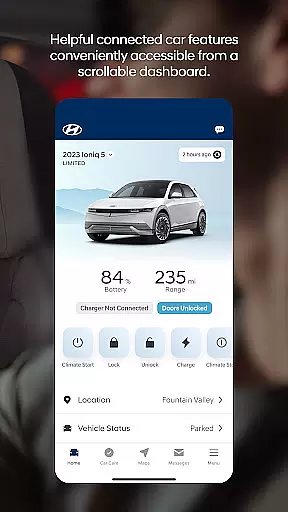
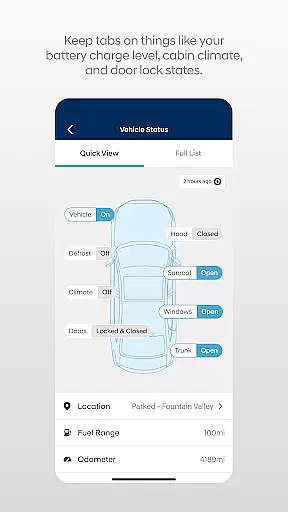

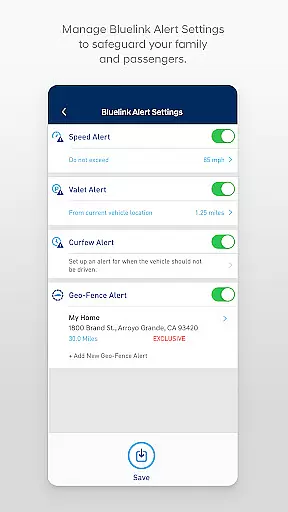
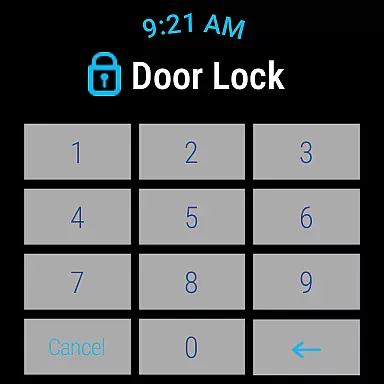
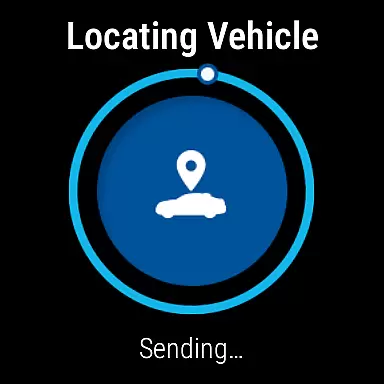
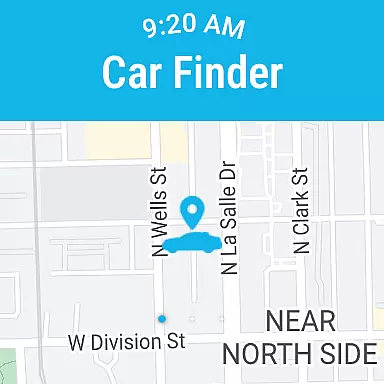
The MyHyundai app with Bluelink is a comprehensive vehicle management solution for Hyundai car owners. This application allows users to remotely interact with their Bluelink-enabled vehicles, providing unprecedented convenience and control. Key functionalities include remote start, door lock/unlock, horn and light activation, and vehicle location services.
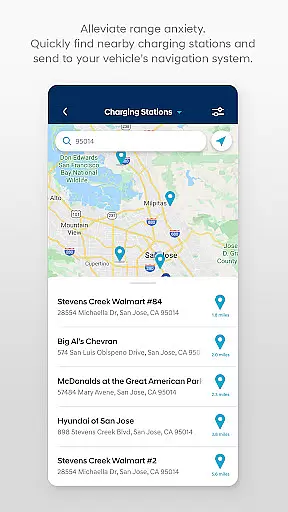
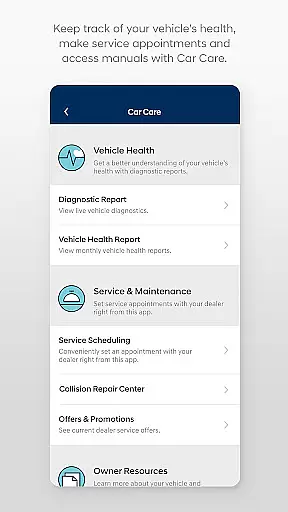
Additionally, the app offers maintenance scheduling, charging management for electric vehicles, and Point of Interest (POI) search capabilities. The integration with Wear OS smartwatches extends these features to wearable devices, allowing voice command support and quick access through smartwatch menus. Whether you're at home or on the go, MyHyundai keeps you connected to your vehicle.
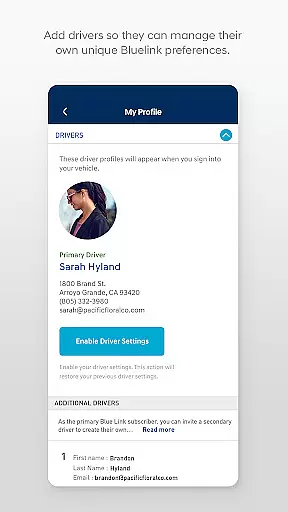
MyHyundai app stands out with its robust feature set tailored for modern vehicle owners. The app's remote vehicle management capabilities are extensive, including climate control presets, charging management for EV/PHEV models, and map-based vehicle locator functions. Users can conveniently schedule service appointments and access maintenance information directly through the app interface.
For navigation purposes, the POI search and send feature ensures drivers can easily plan their routes. The inclusion of Wear OS support demonstrates the app's commitment to accessibility and user convenience. Security features like biometric authentication add an extra layer of protection, while phone widget shortcuts provide instant access to frequently used functions.
Companion app integration is essential for users who want seamless connectivity between their smart devices and vehicles. The MyHyundai app excels in this area by offering a comprehensive suite of features that sync with your Bluelink-enabled Hyundai vehicle.
This app allows you to remotely start your vehicle, lock or unlock the doors, activate the horn and lights, and even find your car, all from your smartphone. For electric and plug-in hybrid vehicles, it provides the ability to manage charging schedules and view charging status, ensuring optimal energy use.
By logging into the app with your MyHyundai.com credentials, you can conveniently send commands using biometric authentication like fingerprint or face recognition. This ensures secure and quick access to your vehicle's functionalities without the need to carry additional devices.
The value of such integration lies in the convenience and peace of mind it offers. Whether you're at home, in the office, or on the go, you have complete control over your vehicle's key functions, enhancing both security and user experience.
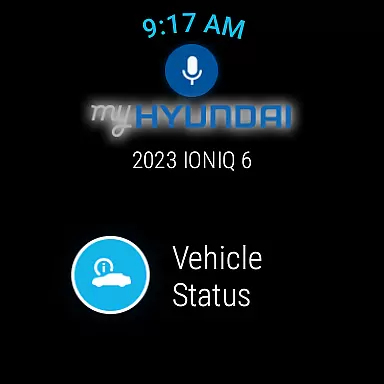
Wear OS compatibility extends the functionality of the MyHyundai app to smartwatches, providing users with even more flexibility and control. With support for Wear OS, you can now use voice commands or the smartwatch menu to access select features directly from your wrist.
Key functionalities available on Wear OS include remotely starting your vehicle, locking or unlocking the doors, activating the horn and lights, and locating your car. These features ensure that you have critical controls at your fingertips, no matter where you are.
This compatibility enhances user convenience by allowing hands-free operation and quick access to essential vehicle functions. It's particularly useful when you're occupied, such as carrying groceries or managing children, as it minimizes the need to interact with your phone.
Overall, the Wear OS integration underscores the app's commitment to providing a versatile and user-friendly experience. By expanding its reach to wearable technology, the MyHyundai app ensures that you stay connected to your vehicle in the most effortless way possible.
User-friendly interface
Comprehensive remote controls
Wear OS compatibility
Biometric security options
Convenient maintenance tracking
Subscription required for full features
Limited to Bluelink-equipped vehicles
Feature availability varies by model
Dependent on network connectivity
Some functions need additional setup

Watch the sharpness of the sky on your wrist..
 3.70
3.70
Christmas Theme Watch Face for Wear Os
5.00
Christmas is near, let's count together the days left until Santa comes
4.0
sleep, alarm, snoring, stress, healing, focus, sound therapy, circadian rhythm
4.10
Real-time results, stats, schedules and player profiles for all leagues
4.60
Stay in touch with your friends and family using LINE!
3.40
Hybrid watch face for Wear OS with customizable complications by Matteo Dini MD
4.70
A realistic hybrid watch face with many customization options.
4.60
Your music, your playlists, and more—offline and unlimited.
4.20
Kia Access makes getting your vehicle information easier than ever
4.60
Reliable phone calls with spam protection, caller ID and more helpful features
4.40
A white realistic classic analog watch face with many customization options.
4.40
Hyper-Realistic Airplane Dashboard Watch Face With 10 Skins and Custom AOD
4.00
an Analog Watch Face for winter season with freeze winter background for Wear OS
4.0
Simple Analog-Digital Watchface For Wear OS 3.0 and Up Smartwatches
4.2


User Reviews