
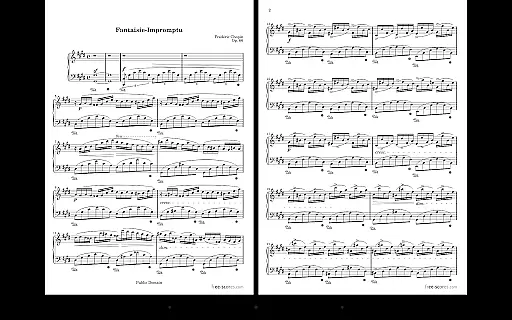
MobileSheets is a premier sheet music viewer designed specifically for Android tablets, offering musicians an efficient and versatile solution to manage and access their entire music library. The application eliminates the need for physical sheet music by providing instant access to any score within its digital library.
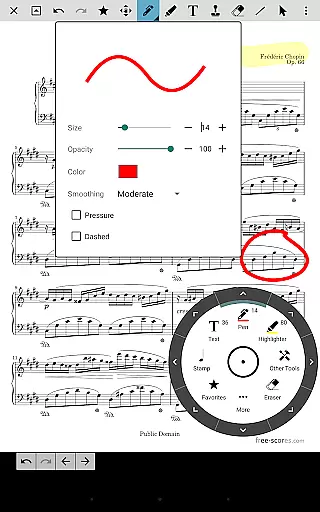
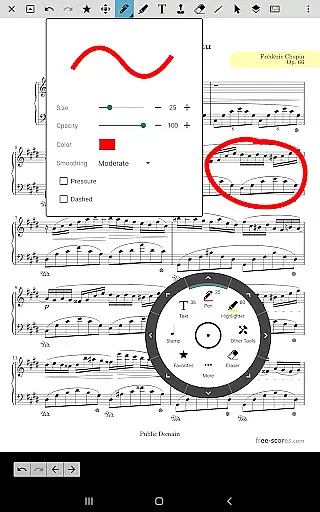
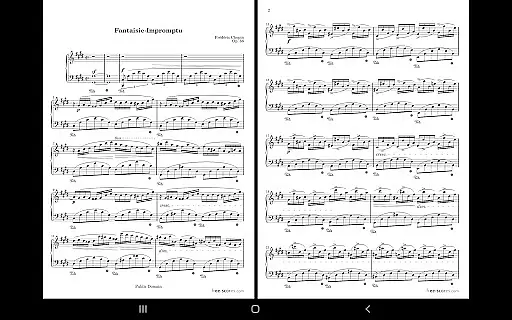
With specialized features such as multiple viewing modes, hands-free page turning via Bluetooth or USB devices, and automatic scrolling, MobileSheets caters to live performance needs and practice sessions alike. Its annotation tools allow users to mark up scores with freeform drawing, shapes, text, and stamps, while the custom audio player supports A-B looping for focused practice. Additionally, the app's powerful library management system and companion PC application simplify song creation and editing.
Designed for 7" and larger tablets, MobileSheets optimizes the user experience by integrating seamlessly with existing files and folders on the device, ensuring that musicians can organize their scores according to personal preferences without duplicating efforts. This makes it an indispensable tool for both professional musicians and hobbyists seeking convenience and functionality in one package.
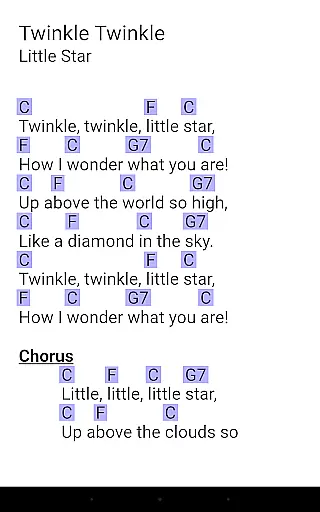
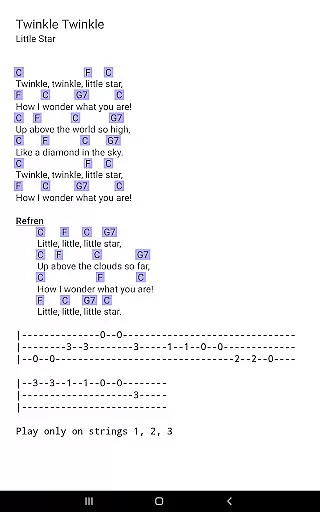
MobileSheets boasts an array of advanced features tailored to enhance the musician's workflow. One standout capability is its support for multiple file types, including PDFs, images, text files, and chord pro files, allowing users to import and manage diverse formats effortlessly. The app also facilitates MIDI communication over USB, enabling seamless integration with external devices for song loading or action triggering.
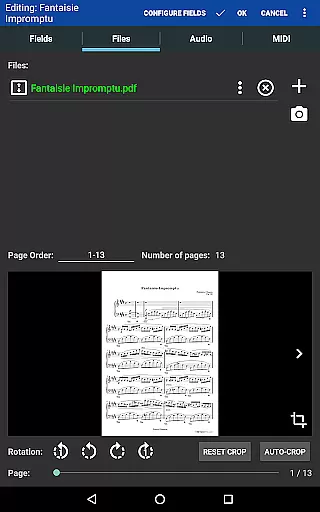
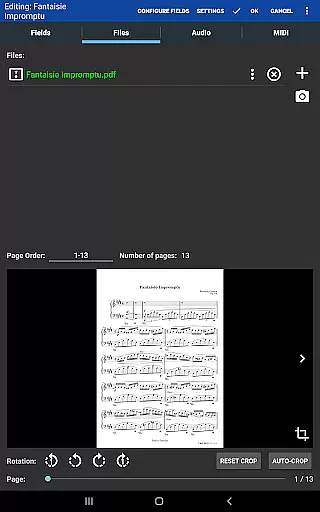
The application provides practical tools like custom page ordering, which allows users to modify the sequence of pages without altering the original document, and smart buttons that activate configurable actions directly from the score interface. These features are complemented by a built-in metronome with various display modes and sound effects, as well as bookmarks and link points for quick navigation through complex scores.
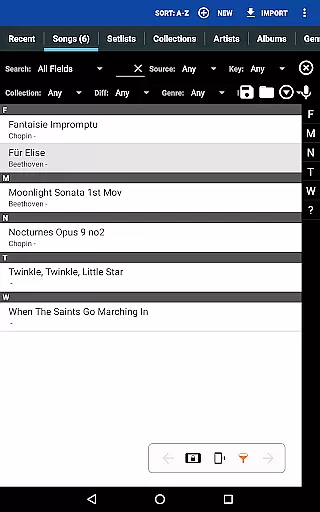
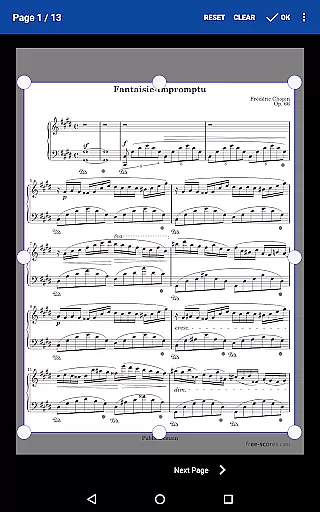
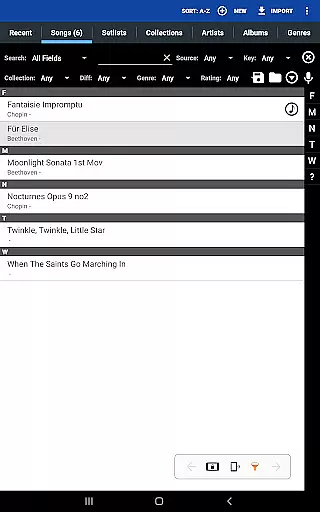
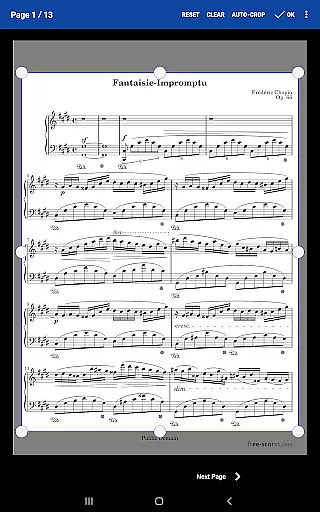
Another key feature is the ability to create setlists and collections, empowering musicians to group songs efficiently for performances or practice sessions. Manual and automatic cropping options further refine the viewing experience by eliminating unnecessary margins, ensuring that every piece of sheet music is displayed optimally. Together, these functionalities make MobileSheets a comprehensive tool for modern musicians.
MobileSheets offers an extensive music library management system that supports a wide range of file types including PDFs, images, text files, and chord pro files. This ensures musicians have the flexibility to use their preferred formats while accessing a vast collection of sheet music.
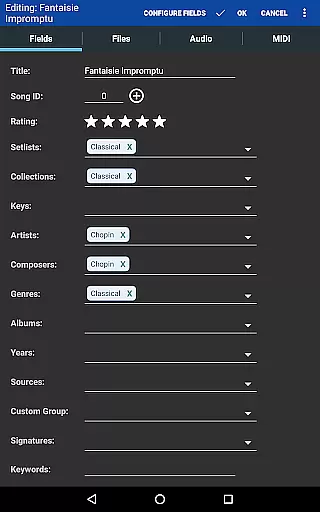
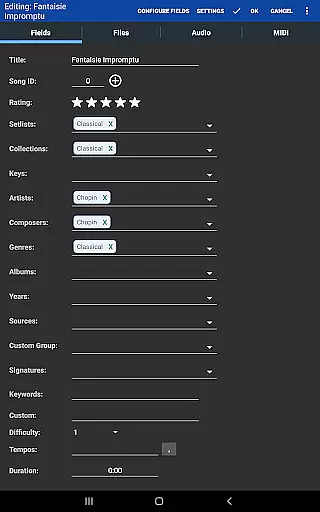
The application provides powerful features for organizing your music library with comprehensive metadata fields. These allow users to meticulously categorize and tag their music scores, ensuring easy retrieval and efficient management of their entire collection.
While MobileSheets does not provide any sheet music itself, it emphasizes copyright authenticity by enabling users to manage their legally acquired scores. The app's support for importing CSV index files helps in breaking up large PDF songbooks, maintaining the integrity and legality of music pieces.
By supporting MIDI device communication over USB, MobileSheets enhances the user experience without compromising on copyright issues. This feature allows musicians to load songs or trigger actions through their MIDI devices, offering a seamless integration of hardware and software in a legal and authentic manner.
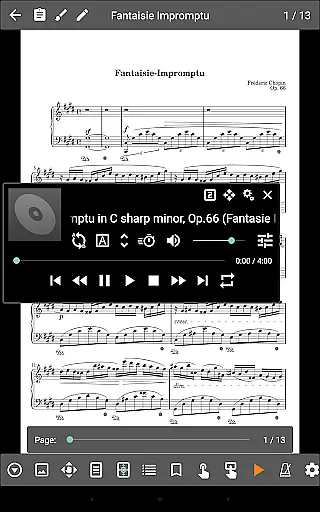
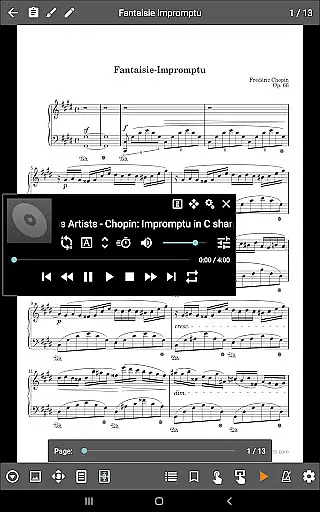
One of MobileSheets' standout features is its custom audio player, designed specifically for playing back audio tracks alongside your scores. This player supports a-b looping, which is crucial for practice sessions, allowing musicians to repeat specific sections of a track seamlessly.
The audio player comes in multiple sizes, giving users the flexibility to adjust their interface based on their needs and preferences. Whether you prefer a minimal view or need more control options at hand, MobileSheets accommodates various user scenarios effectively.
In addition to playback capabilities, MobileSheets includes a metronome with multiple display modes and sound effects. This tool is indispensable for musicians who require precise tempo control during practice or performance, enhancing the overall audio experience within the app.
While MobileSheets cannot play back PDFs, images, or text/chord pro files, its ability to handle audio files with high-quality options makes it an essential tool for musicians. The combination of visual score viewing and robust audio support creates a comprehensive practice and performance environment.
User-friendly interface
Comprehensive file support
Powerful library management
Versatile annotation tools
Hands-free operation options
No built-in playback for PDFs
Requires manual data organization
Limited to Android tablets
E-Ink version sold separately
Companion app not included

Fun & Easy Voice Changer – Record, Edit & Add Hilarious Effects!
 4.50
4.50
The Skullcandy App Experience
3.20
Gorgeous UI, Powerful music Search and Equalizer, the great choice for you!
4.70
Enhance the sound quality of your devices, listen to what you want
4.50
A High-Precision Audio Spectrum Analysis App
4.20
Brian Eno and Peter Chilvers’ acclaimed music app Bloom, radically reinvented.
4.80
Visualize the guitar fretboard, master scales & play through changes like a pro!
4.50
Ultimate Sonos Controller
4.70
Travel To The Music Universe
3.40
JBL PartyBox APP works with 110/310/710/120/320/520/Encore/Encore 2/Encore Ess 2
4.80
Listen radio AM / FM Stations. Live AM / FM Radio App Station. Radio Com.
4.70
Over 100 million tracks available for high quality streaming and download
4.60
Pay Once, no monthly payment
4.60
DJ Music Mixer Pro is a real DJ controllers and DJ Music Studio to remix DJ.
4.40
Versatile MP3 recorder with auto-backup to Dropbox and Google Drive
4.10


User Reviews