
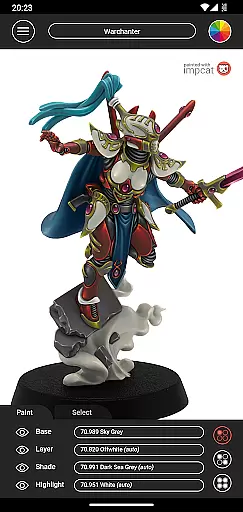
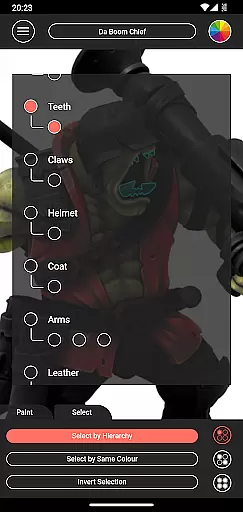
Impcat, short for Interactive Miniature Painting Catalogue, is a powerful simulator designed for hobbyists and professionals in the gaming and tabletop miniatures space. This app allows users to achieve photorealistic painting results on miniature models by simulating a detailed four-step painting process: base coloring, layering, shading, and highlighting. With its advanced features, impcat caters to both beginners and experienced painters who want to experiment with colors before applying them physically.
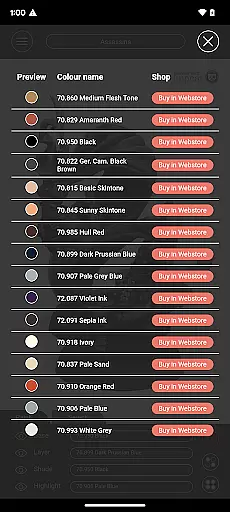
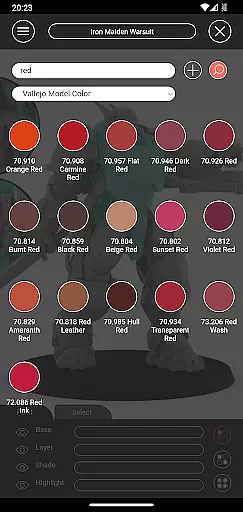
One of the standout aspects of impcat is its compatibility with predefined color palettes from popular manufacturers like Vallejo Model Color and Vallejo Game Color, offering a total of 308 colors. Additionally, users can access free downloadable content (DLC) such as new miniature templates and updated color palettes, ensuring that the app remains up-to-date without any additional costs. Whether you're planning your next project or looking to purchase new paints, impcat provides tools like shopping list generation and color mixing to streamline your workflow.
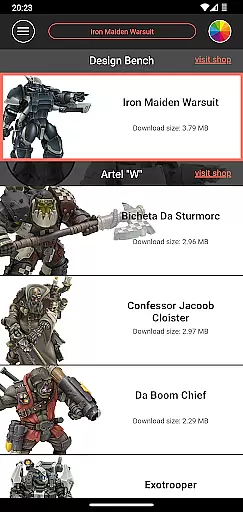
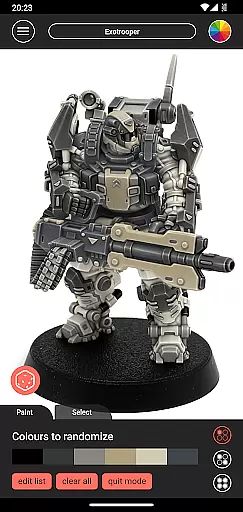
Impcat offers an extensive range of features tailored to enhance the miniature painting experience. The app includes six built-in miniatures provided by Artel "W", giving users a variety of templates to practice on. Furthermore, it supports multiple built-in color palettes, allowing users to select from a wide array of shades to suit their artistic vision. One innovative feature is the complement recommendation mode, which automatically suggests harmonizing colors for layering, shading, and highlighting based on the selected base color.
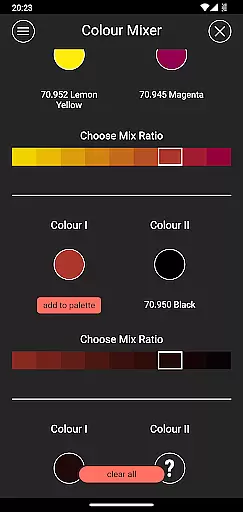
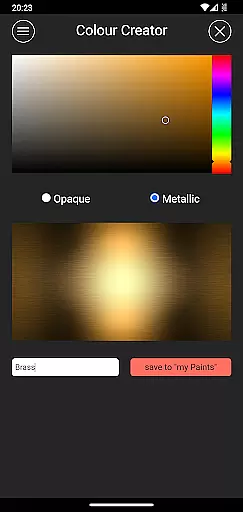
For those who enjoy experimenting, impcat also includes a photorealistic simulation tool that shows how applied paints will look on the miniature. This helps users visualize their final product before committing to physical paint. Additional tools include a color mixer for combining predefined paints, a color creator for custom shades, and a randomizer that distributes colors across a model for inspiration. These features collectively ensure that users have everything they need to create stunning designs efficiently.
Customization is at the heart of impcat, allowing users to explore a vast array of miniature painting possibilities. With six built-in miniatures and over 300 color options from Vallejo Model Color and Vallejo Game Color, the app provides an extensive palette for creativity.
The inclusion of DLCs for additional miniatures and color palettes ensures that your creative options are continually expanding without any extra cost. This means you can access new content as soon as it's uploaded, keeping your painting experience fresh and engaging.
Moreover, the complement recommendation mode enhances customization by suggesting harmonizing colors for layering, shading, and highlighting. Users can then tweak these suggestions to perfectly match their artistic vision, providing both guidance and freedom in personal expression.
While impcat focuses on miniature painting rather than traditional themes, its compatibility with various color systems and palettes serves a similar function. The app supports industry-standard color ranges, ensuring seamless integration with physical paint collections.
This compatibility extends to its shopping list generator, which links digital choices to real-world purchases. By providing direct links to shop pages for selected colors, impcat bridges the gap between digital experimentation and practical application.
Additionally, tools like the color mixer and creator enhance this compatibility by allowing users to replicate their physical paint collection digitally. This creates a cohesive experience across different painting environments, whether working virtually or with physical miniatures.
User-friendly interface
Extensive color options
Free DLC updates
Photorealistic simulations
Shopping list generator
Limited built-in miniatures
No direct painting
Requires learning
Color palette dependency
Advanced tools may overwhelm

Fingerprint Lock Screen & Live Animations with 4K Wallpapers as Live Wallpaper
 4.40
4.40
Make your phone look simple & luxury, like iDevice
4.60
A launcher for Samsung Good Lock and Good Guardians modules without ads
4.70
More than 3000+ themes and 9000+ wallpapers for everybody!
4.10
Customizable screen pets that play, climb, and keep you company.
4.50
The definitive Icon pack maker and editor
4.30
Aesthetic Widgets, HD Wallpapers, Themes in Mico Widget for Home and Lock Screen
4.50
Handcrafted pixel art icons, widgets & wallpapers
4.60
Enjoy a variety of amazing live wallpapers and colorful EDGE lighting borders!
4.80
Personalize your phone with stunning HD and 4K wallpapers!
4.70
350+ widgets with a premium glass-style finish, perfect for home & lock screens.
4.70
Want to make your phone more special than ever?
4.60
Embrace the Night. Unleash the power of darkness with Raven Dark Icon Pack
4.60
Transfer your live wallpapers from Windows to Android using Wallpaper Engine!
4.00
Emoji Maker app - Design custom emojis and effortlessly blend them with Mixer
3.80


User Reviews