
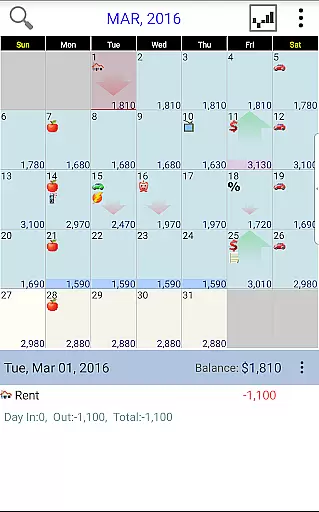
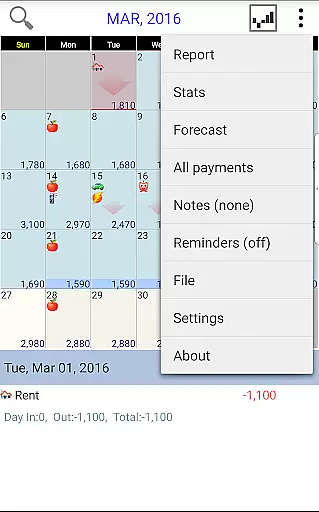
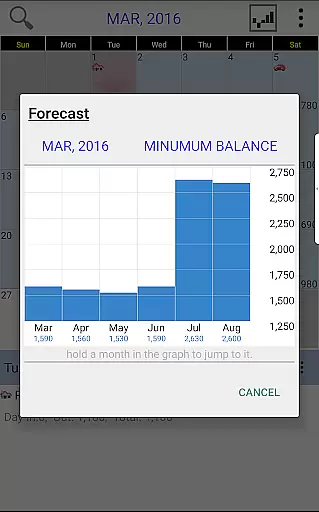
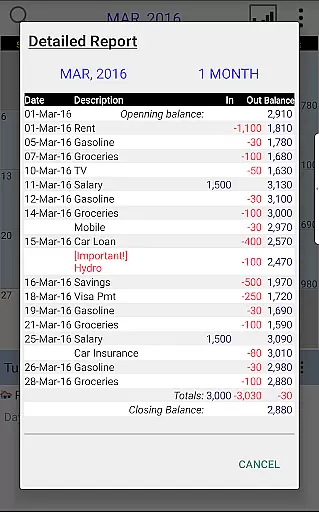
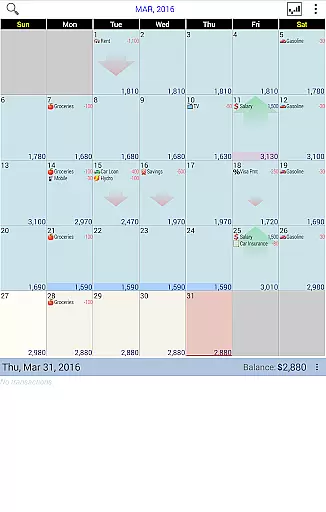
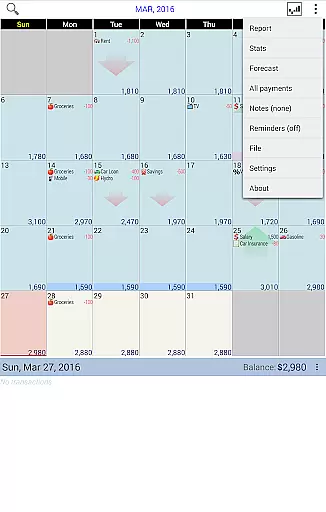
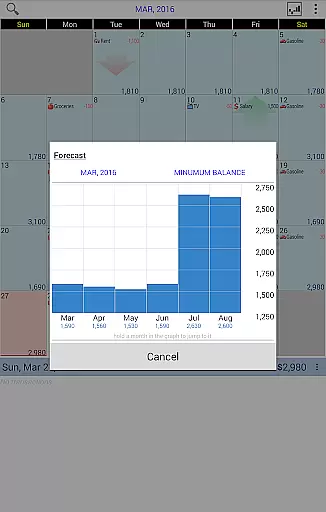
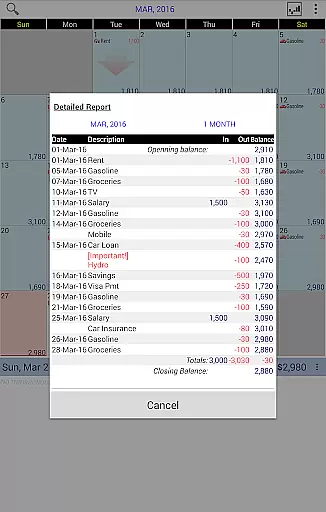
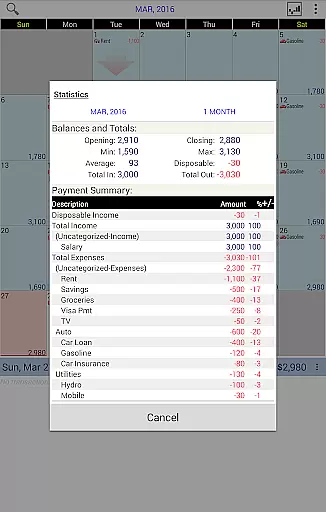
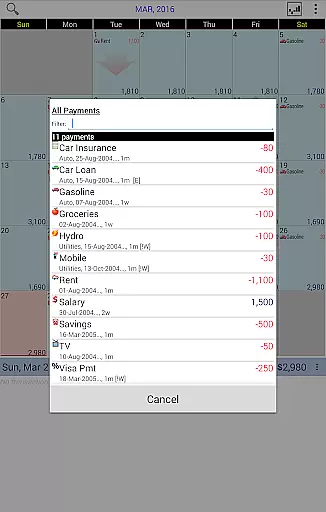
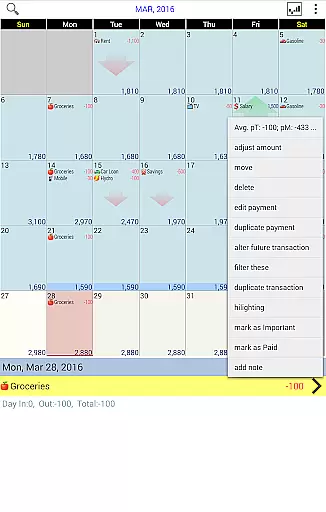
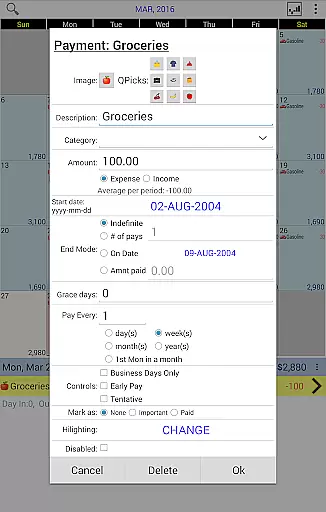
Budget Calendar is a comprehensive financial planning tool designed to simplify budget management through its intuitive calendar-based interface. Unlike traditional ledger systems, this application visually represents all transactions on a calendar, allowing users to effortlessly track and adjust their financial activities. Each transaction can be customized with unique icons, making it easy to identify different types of payments at a glance. The app also offers powerful reporting features, providing clear statistics and reports for single or multiple months. With compatibility across smartphone and desktop platforms, and the ability to sync data via Google Drive, Budget Calendar ensures seamless financial management across all your devices.
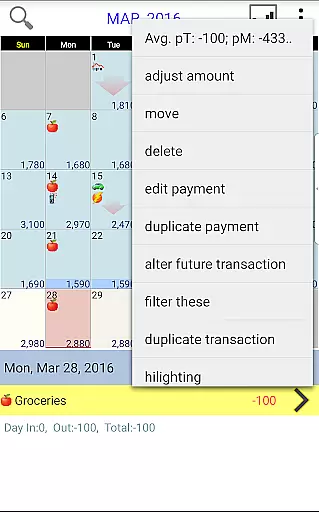
The app's standout feature is its flexible transaction management system. Users can easily move transactions between dates to accommodate changing schedules, while the built-in budget balance adjustment tool helps maintain accurate financial tracking. Whether you're planning future expenses or analyzing past spending patterns, Budget Calendar provides the necessary tools to make informed financial decisions. Its user-friendly interface and robust functionality make it an ideal solution for both personal and professional financial management.
Budget Calendar distinguishes itself through several innovative features that enhance the budgeting experience. The application's core functionality revolves around its visual calendar interface, which transforms complex financial data into easily digestible information. This approach not only simplifies transaction tracking but also provides users with a clear overview of their financial commitments. The ability to assign unique icons to each payment type adds another layer of customization, enabling quick identification of various expense categories.
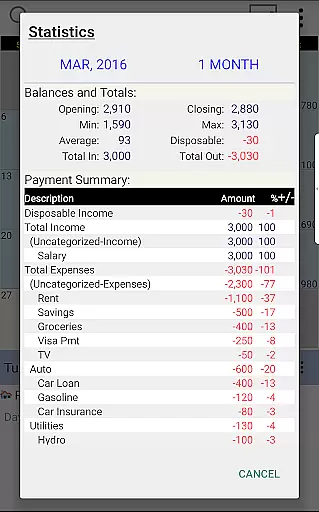
Advanced reporting capabilities are another key aspect of Budget Calendar's feature set. The application generates detailed statistics and reports for any selected time period, empowering users to analyze their spending habits and make data-driven financial decisions. The cross-platform compatibility between mobile and desktop versions ensures consistent access to financial information, while Google Drive integration facilitates seamless synchronization across multiple devices. Additionally, the app's trial desktop version allows potential users to explore its full range of features before committing to purchase, demonstrating the developer's confidence in the product's value proposition.
Budget Calendar ensures robust account and fund security through multiple layers of protection. The application employs advanced encryption protocols to safeguard user data, ensuring that all transactions and personal information remain confidential and secure from unauthorized access.
In addition to encryption, the app provides secure login mechanisms, including password protection and optional biometric authentication. This multi-factor authentication approach significantly enhances the security of financial data, giving users peace of mind when planning and managing their budgets.
Furthermore, Budget Calendar allows users to sync their data via Google Drive, which adds an extra layer of security by storing data in a secure cloud environment. This feature not only facilitates easy access across multiple devices but also ensures data integrity and protection against loss or theft.
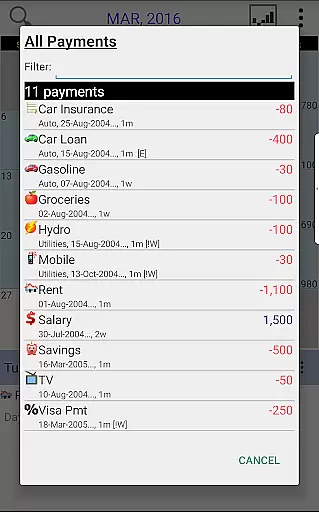
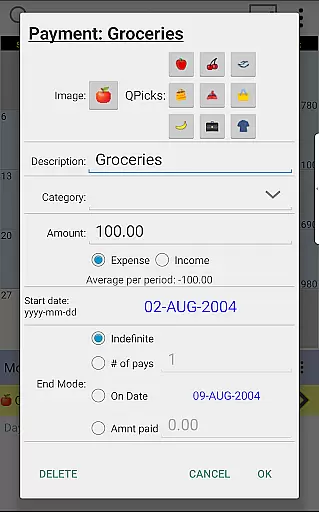
The transaction experience in Budget Calendar is designed to be intuitive and user-friendly, allowing users to manage their finances effortlessly. Each transaction can be assigned a unique icon, making it visually distinct and easier to identify at a glance on the calendar view.
Users have the flexibility to move transactions to different days, accommodating changes in their financial schedules seamlessly. This adaptability ensures that users can adjust their budgeting plans according to their needs without any hassle.
Budget Calendar also offers clear statistics and reports for one or more months, providing users with valuable insights into their spending patterns. With this comprehensive overview, users can make informed decisions about their future expenditures and better manage their financial health.
User-friendly interface
Customizable transaction icons
Powerful reporting tools
Cross-platform compatibility
Google Drive integration
Separate desktop purchase required
Limited free features
Occasional sync issues
No automatic categorization
Subscription fees apply

Companies owe you money.
 4.80
4.80
Early payday cash advance up to $150 a day with a max of $1,000 per pay period
4.70
Get 250$ Cash Advance to solve emergencies instantly in loan app called LendMe
4.70
Manage and cancel subscriptions, lower bills, track expenses, create budgets.
4.60
No credit check, no interest, no worries.
4.70
Invest, bank & save in one app. Trade stocks, earn high APY & budget smarter.
4.00
Mine Bitcoin in the cloud! Earn BTC daily with high-speed mining power.
4.30
Amazing Financial Calculator. Based on HP 10bII, but easier to use!
4.40
Powerful Money Manager, Expense & Savings Tracker, Budget Planner - Pro Version
4.70
Keep track of your subscriptions with no limitations
4.80
Manage your credit card account with the Credit One Bank mobile app.
4.70
Over 180 currencies conversion rates with live exchange rates and offline mode.
4.60
Download the MySynchrony App to manage your accounts securely and conveniently!
4.60
Get a cash advance instantly. File taxes & cover unexpected bills in minutes.
4.60
Payday cash advance & Instant cash advance: Borrow money instantly, Get cash now
4.60


User Reviews