
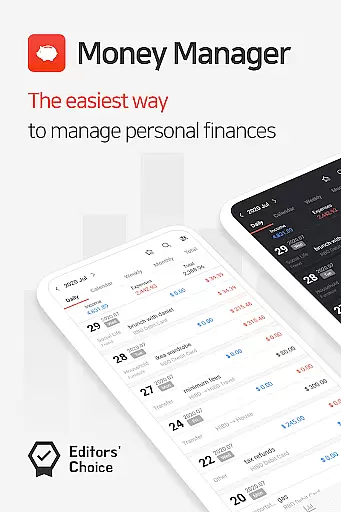
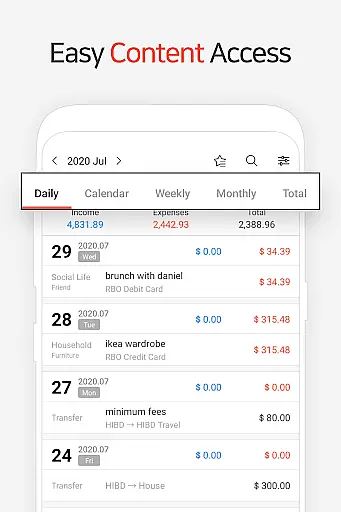
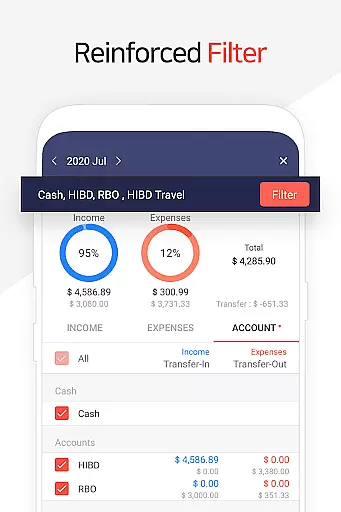
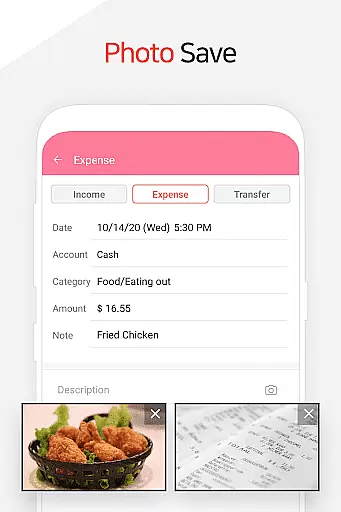
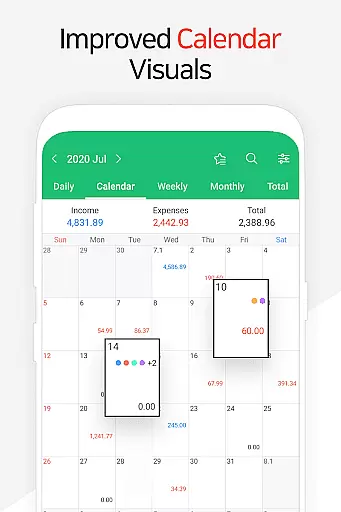
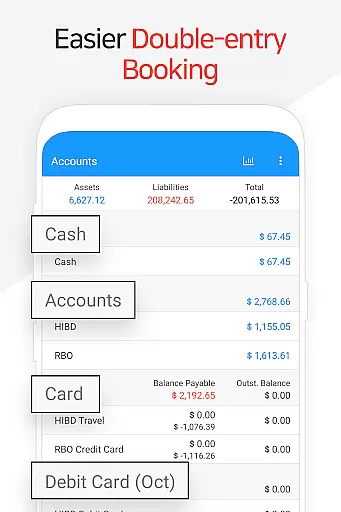
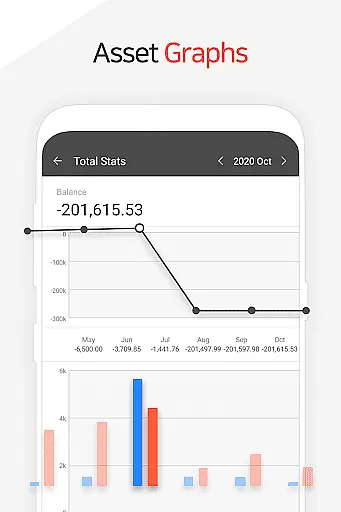
Money Manager is a comprehensive personal asset management application designed to help users efficiently track and manage their finances. The app incorporates double-entry bookkeeping, ensuring accurate recording of financial transactions by automatically updating accounts upon income or expense entries.
Key features include budget management with graphical representations of expenses against budgets, card and debit card management for tracking payments and scheduling automatic debits, and passcode protection for secure access. Additionally, the app supports instant statistics and visual graphs for monthly financial comparisons, as well as bookmarking for frequently occurring expenses.
Users can benefit from functions such as asset transfer, recurring transactions for salaries or loans, and data backup/restore options including Google Drive support. This makes Money Manager suitable for individuals seeking an all-in-one solution for maintaining detailed and secure financial records.
Money Manager stands out with its array of specialized features tailored for meticulous financial oversight. One prominent feature is the PC manager function, which allows users to view and manage their financial data on a larger screen, with capabilities to edit, sort, and visualize account fluctuations through graphs.
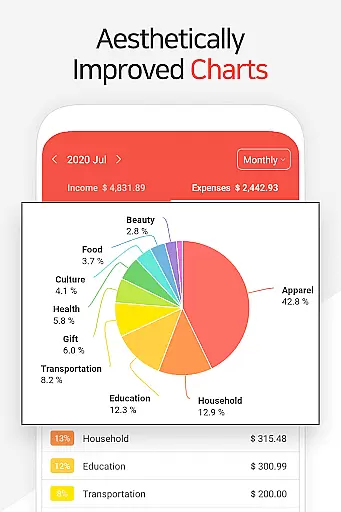
The app also offers advanced functionalities like budget management depicted through intuitive graphs, card/debit card management enabling users to monitor payment schedules and automate debits, and instant statistics providing immediate insights into categorized spending patterns and monthly trends. These features collectively empower users to maintain control over their financial health with ease and precision.
Additional notable features include a passcode system for enhanced security, seamless fund transfers between assets, automated recurring transactions, and convenient Excel-based backup/restore options. With these tools, Money Manager delivers a robust platform that simplifies complex financial tasks while offering peace of mind through data protection and accessibility.
Account and fund security is a critical aspect of any financial management application, ensuring that users' sensitive information and assets are protected. Money Manager addresses this need by implementing robust security measures such as passcode verification, which adds an extra layer of protection against unauthorized access.
The app also supports data encryption during transmission and while stored, safeguarding personal and financial details from potential threats. With the added functionality of Google Drive backup, users can rest assured that their financial records are securely stored in the cloud and can be restored in case of device loss or damage.
Furthermore, the ability to manage budgets, cards, and automatic transactions within the app allows users to maintain control over their funds without exposing sensitive information. This comprehensive approach to security empowers users to manage their finances with confidence, knowing that their data and assets are shielded from harm.
A seamless transaction experience is vital for users managing their daily finances, and Money Manager excels in providing intuitive tools for tracking income and expenses. By applying double-entry bookkeeping principles, the app ensures accurate recording of financial flows, offering users a clear picture of their monetary activities.
With features like instant statistics and graphical representations of account fluctuations, users gain valuable insights into their spending habits and financial trends. The ability to sort and edit data on both mobile and PC enhances the overall transaction experience, allowing for efficient management anytime, anywhere.
Additionally, functions such as budget visualization, card management, and automated transfers contribute to a smooth and organized financial workflow. These capabilities not only simplify the process of handling transactions but also enable users to make informed decisions regarding their personal asset management.
User-friendly interface
Comprehensive budget tracking
Secure passcode protection
Automated transaction management
Graphical financial insights
Limited investment tracking
No multi-currency support
Premium features require subscription
Occasional syncing issues
Complex for beginners

Manage your account, make a payment, and redeem your rewards on the go.
 4.50
4.50
Bank better with our new app
3.80
Manage your prepaid cards and add to Google or Samsung Wallet.
4.60
Simple & secure international money transfers - for personal & business needs.
4.80
Car Insurance Made For You.
4.50
Change the way you money with Credit Genie
4.30
StockTiles lets you view prices & charts of your favorite stock assets
2.30
Make Real Cash by Playing Games! Fetch Playful Rewards, Win & Triumph
4.50
Venmo is the fun and easy way to pay and get paid.
4.10
Secure, simple money transfer app. Send money to Mexico and worldwide fast.
4.80
Check EBT, SNAP, WIC balances, manage food stamps, and save money with benefits
4.80
Join 12M+ users. Instant cash advances, personal loans, build credit, save money
4.80
Powerful Money Manager, Expense & Savings Tracker, Budget Planner - Pro Version
4.70
Navigate your unique financial path confidently with help from Credit Karma.
4.70
Your insurance, anytime, anywhere
4.00


User Reviews