
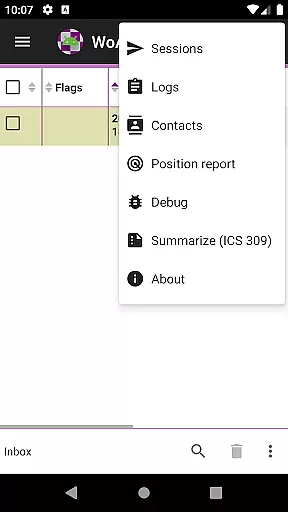
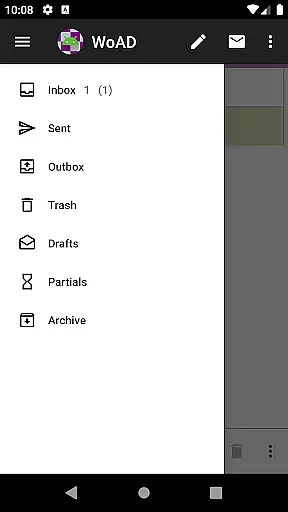
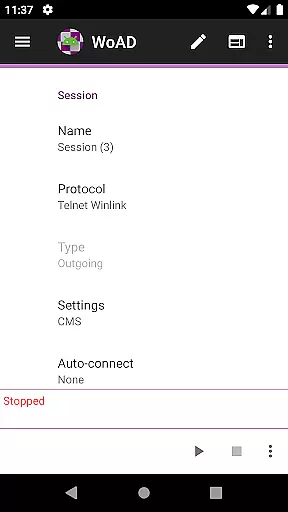
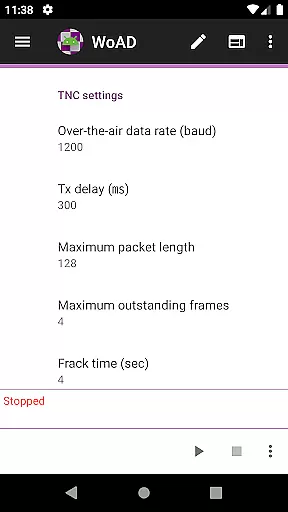
WoAD is a specialized communication application designed for licensed amateur radio operators. This app serves as a client for the Winlink Global Radio Email system, enabling users to send and receive emails through radio waves without relying on traditional internet connectivity. It also supports peer-to-peer (P2P) connections via VHF/UHF AX.25 packet transmission, making it an essential tool for emergency communications and remote operations.
The application caters specifically to the technical needs of ham radio enthusiasts, providing both internet-based and off-grid communication solutions. Its comprehensive documentation and active user community make it a valuable resource for those familiar with packet radio technology. Whether you're an experienced operator or a newcomer to the field, WoAD offers a reliable platform for maintaining communication in challenging environments.
WoAD stands out with its dual-mode functionality, supporting both Winlink system integration and direct P2P connections. The app's ability to operate through VHF/UHF AX.25 packet connections makes it particularly useful in areas with limited or no internet access. Users can establish communication links using various frequency bands, ensuring flexibility in different operational scenarios.
The application provides multiple support resources including detailed documentation, a dedicated support group, and bug reporting features. These resources help users overcome technical challenges while promoting continuous improvement of the software. Additionally, WoAD's open-source nature allows for community-driven development and customization, making it adaptable to individual user requirements and technological advancements in amateur radio communications.
Real-time messaging speed and reliability are crucial for effective communication, especially in critical situations. WoAD ensures that messages are transmitted quickly and reliably through its integration with the Winlink Global Radio Email system. This allows users to send and receive messages over long distances without relying on traditional internet connectivity.
The application supports both internet-based connections and VHF/UHF AX.25 packet connections, providing flexibility in how users can communicate. Whether you're using it for emergency communications or staying in touch with fellow amateur radio enthusiasts, WoAD's robust infrastructure ensures your messages get through when it matters most.
Moreover, WoAD is designed to handle various types of data, including text, images, and files, making it a versatile tool for different communication needs. Its ability to operate under challenging conditions, such as during natural disasters when conventional networks may fail, highlights its importance as a reliable communication platform.
Media sharing support is an essential feature for modern communication tools, allowing users to exchange not just text but also images, documents, and other file types. WoAD facilitates this by enabling users to share media files seamlessly within its messaging framework. This capability enhances the richness of communication, particularly valuable in scenarios where visual or detailed information needs to be conveyed.
Through its compatibility with the Winlink system, WoAD ensures that media files are transferred securely and efficiently. Users can attach files directly to their messages, which are then delivered to recipients via the most suitable channel available at the time, whether it's an internet connection or a radio link.
This versatility in media sharing not only improves user experience but also broadens the scope of applications for WoAD. From coordinating disaster response efforts to sharing technical diagrams among team members, the app's media sharing capabilities make it an indispensable tool for anyone requiring dependable and multifaceted communication solutions.
User-friendly interface
Reliable offline capabilities
Active community support
Comprehensive documentation
Versatile connection options
Steep learning curve
Limited to licensed users
Technical expertise required
No voice communication
Interface may feel outdated

Call Forwarding is easy and simple application to use.
 3.80
3.80
Adblock & VPN Browser: Blocks banners, pop-ups and video ads, fast downloader!
4.60
The ultimate productivity solution for all your email communication needs.
4.40
This app enables the phone to receive and send FT8 traffic!
3.80
Simplify texting with Messages SMS, offline messaging, themes & smart tools!
4.30
Create a secure hotspot on-the-go with Portable WiFi - Mobile hotspot.
4.40
An agentic AI browser for Android, built by Perplexity
4.50
Manage Phone Calls, call history, and contacts easily with Phone Pro.
4.1
Caller ID, Spam Call & SMS Blocker
3.80
Talk & text free with a second phone number plus unlimited 5G data, no fees.
4.50
Simple tool for businesses to talk to their customers.
4.40
Call Blocker app: Identify unknown callers, block spam calls, fraud & robocalls
4.30
RemoteHams.com Android RCForb Client Pre-Release
4.30
BiP is a fast, secure, free messaging and HD video calling app!
4.10
Fun, free app that lets kids video call and message family and close friends.
3.80


User Reviews