
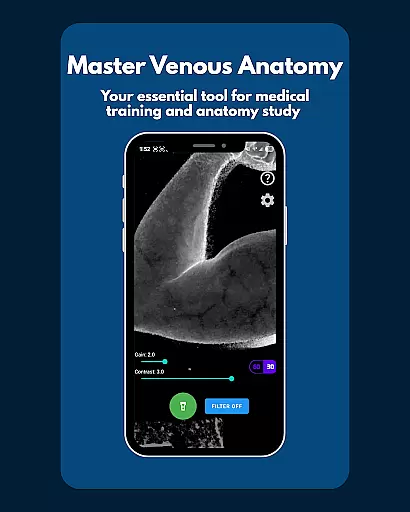
VeinFinder is an innovative educational tool designed to assist medical students and educators in mastering venous anatomy. This app utilizes advanced GPU-accelerated image processing to enhance vein visibility directly through your device's camera, eliminating the need for additional hardware. With its precise control over gain and contrast, VeinFinder ensures optimal visibility across various skin tones and lighting conditions, making it an invaluable asset for both study and instruction.
The app is particularly beneficial for students preparing for anatomy exams, understanding venipuncture techniques, or improving IV access knowledge. Educators can also leverage VeinFinder as a visual aid in classroom settings, providing a bridge between theoretical knowledge and practical application. Its privacy-focused design ensures all processing occurs locally on the device, safeguarding user data.
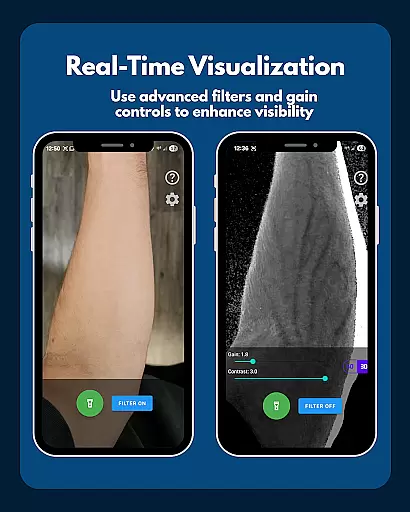
VeinFinder stands out with its array of sophisticated features tailored for educational purposes. The Instant Comparison function allows users to toggle the vein-enhancement filter on and off, offering a side-by-side view of the enhanced and raw camera feed. This feature facilitates a deeper understanding of venous structures by highlighting differences in real-time.
Precision Control is another hallmark of VeinFinder, enabling users to fine-tune gain and contrast settings. This customization ensures that the app performs optimally under diverse conditions, accommodating different skin tones and lighting environments. Additionally, the integrated flashlight control supports low-light scenarios, ensuring consistent performance regardless of ambient light levels.
All image processing occurs on-device, underscoring VeinFinder's commitment to user privacy and data security. This approach not only enhances user trust but also aligns with ethical standards in educational technology. By focusing on these core functionalities, VeinFinder delivers a seamless and secure learning experience for its users.
VeinFinder stands out in the realm of educational tools by providing highly accurate and authoritative content for students and educators focused on anatomy and physiology. The application leverages advanced GPU-accelerated image processing to enhance the visibility of veins, ensuring that users receive precise representations of venous structures directly through their device's camera.
This level of accuracy is crucial for those studying complex venous anatomy, as it bridges the gap between theoretical knowledge and practical understanding. By offering instant comparisons between enhanced views and raw camera feeds, VeinFinder allows users to verify the precision of its imaging technology, reinforcing its reliability as a study aid.
Moreover, the app includes features such as fine-tuned gain and contrast controls, which optimize visibility across diverse skin tones and lighting conditions. This ensures that the educational content remains consistent and dependable, regardless of external variables. Such meticulous attention to detail underscores VeinFinder's commitment to delivering authoritative content tailored to the needs of medical training.
While VeinFinder does not offer traditional personalized learning paths like adaptive quizzes or curated study plans, it provides a unique form of personalization through its advanced imaging capabilities. Users can tailor their learning experience by adjusting settings such as gain, contrast, and flashlight control to suit individual preferences and requirements, effectively creating a customized view of venous anatomy.
The ability to fine-tune these parameters allows learners to focus on specific areas of interest or difficulty, promoting a more personalized and effective study session. For instance, students preparing for exams in venipuncture or phlebotomy can concentrate on visualizing optimal sites for needle insertion, enhancing both their theoretical knowledge and procedural skills.
Furthermore, educators can utilize VeinFinder as a visual aid during classroom instruction, adapting its features to highlight particular aspects of venous anatomy relevant to the lesson at hand. This flexibility transforms VeinFinder into a versatile tool that supports various learning styles and objectives, ultimately contributing to a more engaging and personalized educational experience.
Enhances vein visibility
Customizable settings
On-device processing
Useful for education
Privacy-focused
Performance varies
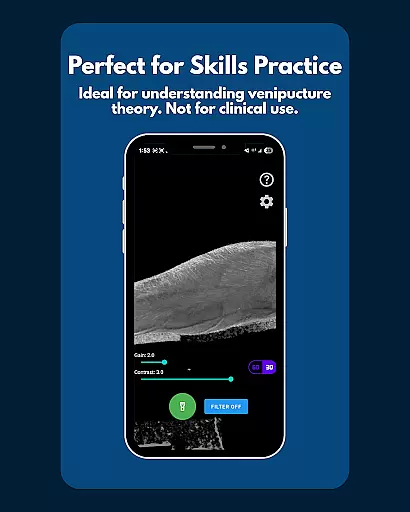
Not for clinical use
Limited refund window
Dependent on lighting
Device-specific optimization

AR planetarium app that brings the solar system to you via XREAL Glasses.
 4.3
4.3
Test prep for Indiana students
4.3
scanner body part for fun Prank friends realistic scan effects
3.00
Study the questions most likely to be asked during the Oral & Practical Exams.
2.80
An easy to use yet powerful and full-featured flashcard study app.
4.50
Latest TLC Practice Questions! Multiple languages available!
4.50
Astronomy Guide to the Night Sky
4.40
Guitar chord finder, analyzer, smartly visualized theory, progressions, quizzes.
4.70
Professional Award-Winning Astronomy Star Map App With Telescope Control
4.40
Explore myths and gods across cultures with in-depth insights and stories.
5.00
A realistic sky map to observe stars, planets, satellites and constellations!
4.80
2026 DVSA Driving Theory Test revision with Hazard Perception + Highway Code
4.60
Stargazing Guide App. Stars and constellations map. Solar system planets finder.
4.60
Ignite curiosity, spark learning: All babybus videos &games
4.30
Our most popular app series returns, better than ever!
3.90


User Reviews