
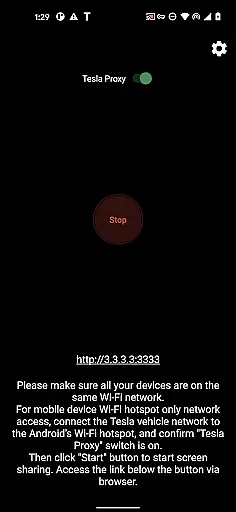
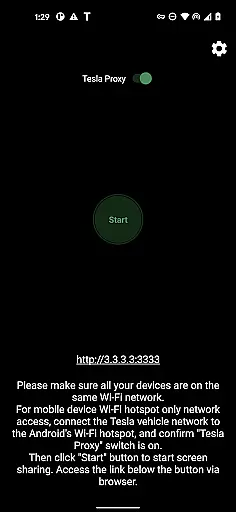
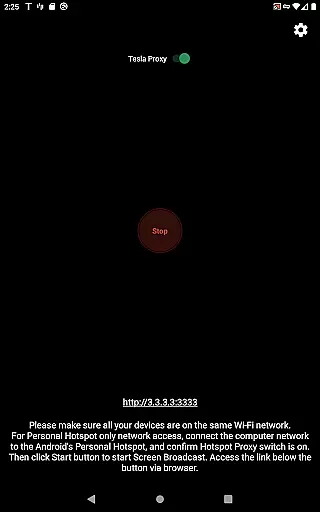
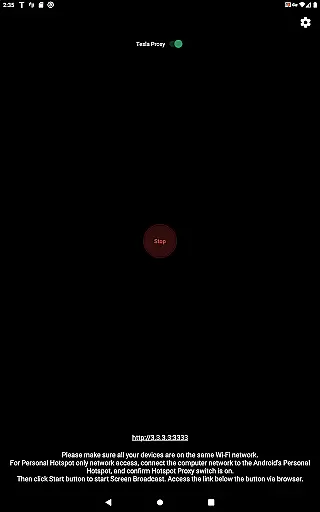
TeslaMirror is an innovative application that allows users to mirror their Android device screens directly onto their Tesla vehicle's infotainment system. This app supports Tesla models with MCU2/3 hardware, including Model 3, Model Y, and newer versions of Model S and X. With a simple setup process involving connecting your Tesla to your phone’s mobile hotspot and accessing a specific URL in the Tesla browser, users can enjoy a seamless mirroring experience. The app offers multiple streaming modes, including H.264/H.265 for high-quality video and MJPEG for basic screen mirroring, ensuring compatibility across different Tesla models.
One of the standout features of TeslaMirror is its ability to provide lossless audio quality when using H.264/H.265 mode on Android 10 and above. Additionally, the remote control functionality enables users to interact with their phones through the Tesla touchscreen or a connected mouse, enhancing convenience while the vehicle is parked. This makes TeslaMirror not only a tool for entertainment but also a practical solution for managing your digital life from the comfort of your car.
TeslaMirror boasts several advanced features tailored specifically for Tesla owners. The app supports various video encoding standards such as H.264 and H.265, optimized for different Tesla hardware configurations. For instance, MCU3 systems can utilize H.265 at 720p@60fps or even 1080p resolutions, offering superior video clarity. Meanwhile, MCU2 users can enjoy stable performance with H.264 at 540p@30fps. These options ensure that all users receive the best possible streaming experience based on their vehicle's capabilities.
In addition to video streaming, TeslaMirror provides lossless audio transmission for devices running Android 10 and above, delivering sound quality far exceeding traditional Bluetooth connections. The app also includes a remote control feature, allowing users to operate their smartphones directly from the Tesla interface. This combination of high-quality video, pristine audio, and intuitive controls makes TeslaMirror a versatile tool for enhancing the in-car multimedia experience while ensuring safety by requiring the vehicle to be parked during use.
TeslaMirror provides comprehensive details about Tesla vehicles' infotainment systems, ensuring users have the necessary information to utilize the app effectively. The application supports Tesla app mirroring and offers specifics on system requirements, such as the need for MCU2/3 hardware found in Model 3, Model Y, and newer Model S and X vehicles.
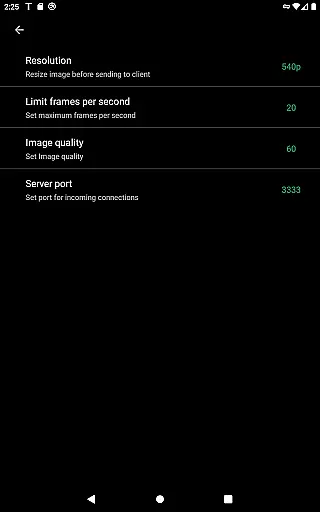
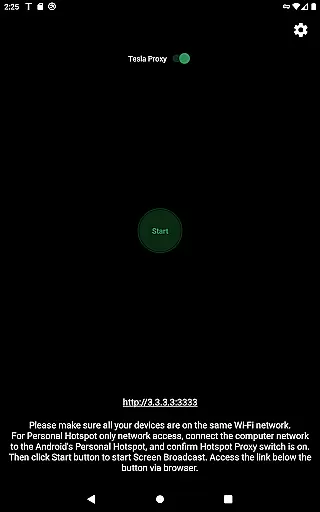
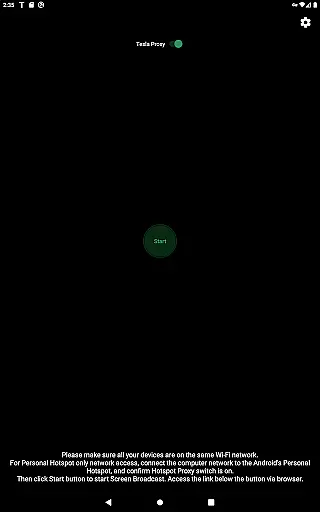
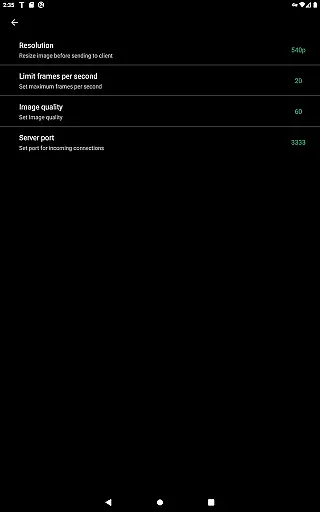
Users are guided through setup with clear instructions that include updating the Teslau2019s infotainment system, connecting via a mobile hotspot, and configuring the app's settings like the 'Tesla Proxy' switch. This detailed guidance helps ensure optimal performance and compatibility between the user's Android device and their Tesla vehicle.
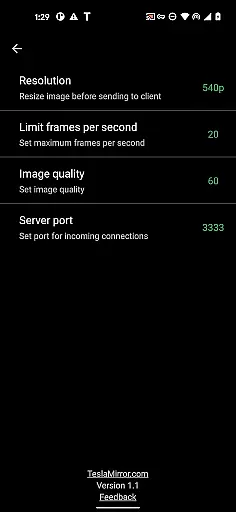
The app delineates features based on vehicle hardware, recommending H.264 or H.265 video codecs depending on whether the car is equipped with MCU2 or MCU3 systems. It also specifies ideal resolutions and frame rates for streaming, which contributes to a high-quality mirroring experience tailored to the capabilities of each vehicle model.
By providing these specific details, TeslaMirror empowers users to make full use of their vehicle's multimedia capabilities while ensuring they adhere to safety guidelines, thus enhancing both the functionality and enjoyment of their driving experience.
TeslaMirror offers a straightforward pricing model with an initial free 144-hour trial period available upon purchase through Google Play. This transparent approach allows potential long-term users to evaluate the service before committing financially, ensuring satisfaction with its performance and compatibility with their Tesla vehicle.
In case the service does not meet expectations within the trial timeframe, customers can request a refund by contacting TeslaMirror support directly. By outlining this process clearlyu2014including specifying what information is needed for a refund requestu2014the app maintains openness about financial transactions and customer rights.
Moreover, there are no hidden fees associated with using TeslaMirror; however, it requires VpnService permission on Android devices to facilitate communication between the caru2019s browser and the phone due to certain IP restrictions inherent in Teslau2019s systems. This requirement is explained thoroughly in the app description, ensuring users understand its necessity without feeling misled by additional charges or unclear terms.
This level of price transparency not only builds trust but also enhances user confidence when deciding to invest in TeslaMirror, knowing exactly what they are paying for and how it benefits their driving experience.
High-quality video streaming
Lossless audio support
Remote control functionality
Easy setup process
Compatibility with multiple Tesla models
No DRM content support
Requires vehicle to be parked
Complex initial configuration
Limited to Android devices
Potential connectivity issues

ODB2 based monitoring application for the Chevy Bolt (2017-2021)
 4.00
4.00
Take Control of Your Car
4.80
Wonder how much horsepower and torque your car/truck makes? Look no further.
3.40
Play what you want through Android Auto
4.90
Autolist - The Largest Selection of Local Used Cars and Trucks
4.50
Club Car Wash Mobile App—the fast lane to managing your wash membership.
3.30
Car Values, Research and More
4.80
Instantly redesign your car with AI. From sporty to futuristic, try it all.
4.50
Secure mobile payments & fuel savings at Phillips 66®, Conoco® and 76® stations
4.40
Digital Car Key/Launcher, Screen Mirror, Android Dashboard, Remote Wireless Link
4.40
A full featured, real-time transit locator system
4.30
Take state-specific DMV permit tests and ace the exam.
3.90
The Smarter Way Forward
3.30
Attention! This is the theme for the Car Launcher app
4.4
Theme for Car Launcher
4.2


User Reviews