
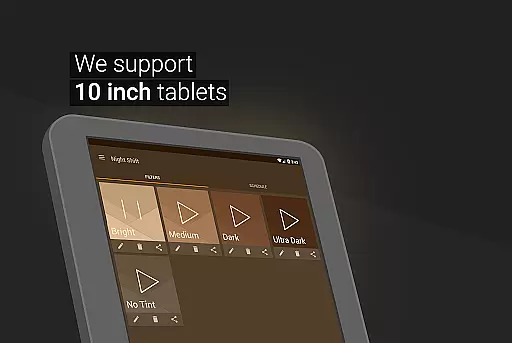
Night Shift is a specialized health application designed to protect users' eyes during nighttime device usage. The app functions as an advanced blue light filter, reducing harmful screen brightness and adjusting color temperature to create a more eye-friendly display. This feature is particularly beneficial for individuals who use their devices in low-light environments or before bedtime.
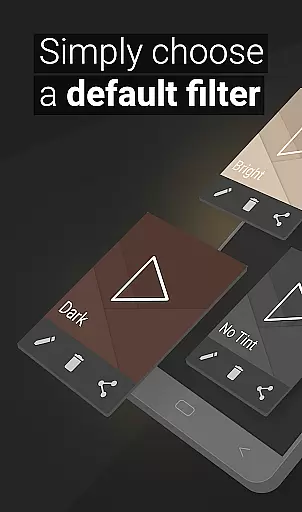
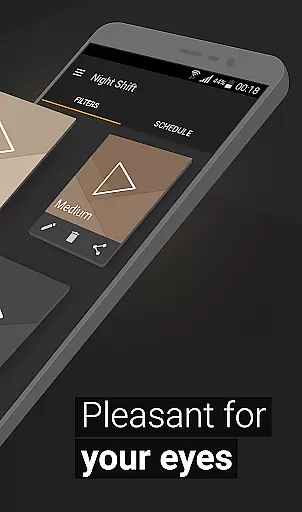
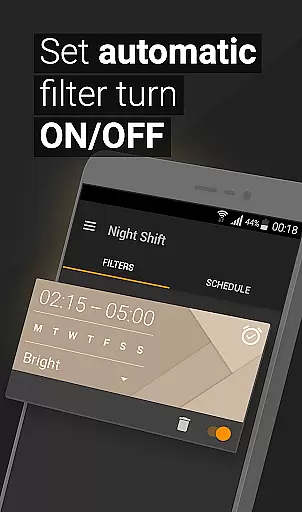
The application offers multiple customization options including premade filters, temperature adjustment, and RGB color control. Users can create personalized night mode settings that suit their specific needs. With its automatic scheduling feature, Night Shift can be programmed to activate during evening hours, ensuring consistent eye protection without manual intervention. This makes it an essential tool for maintaining good eye health and promoting better sleep patterns.
Night Shift stands out with its comprehensive set of features designed to enhance user experience while protecting eye health. The app includes premade blue light filters that can be instantly applied, alongside advanced customization options allowing users to create unique filter settings. These features work together to provide optimal screen dimming beyond system minimum levels.
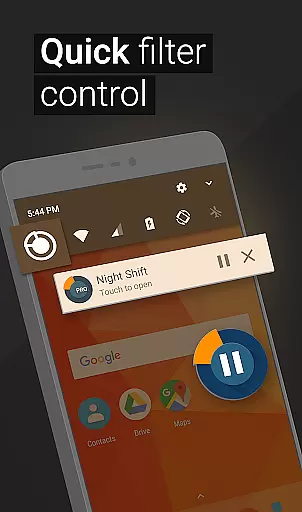
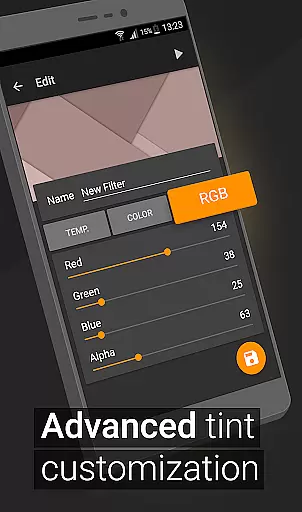
A key innovation is the app's ability to customize color temperature and intensity through RGB controls. Users can precisely adjust red, green, and blue color values to achieve the perfect balance for their eyes. The automatic scheduling system adds convenience by enabling preset activation times. Additionally, the Accessibility Service feature ensures continuous protection even when viewing notifications or using the lock screen, making Night Shift a complete solution for modern digital eye strain prevention.
In the realm of eye care and sleep improvement, personalized planning plays a pivotal role in tailoring a user's experience to their specific needs. Night Shift excels in this area by offering customizable options that cater to individual preferences and requirements.
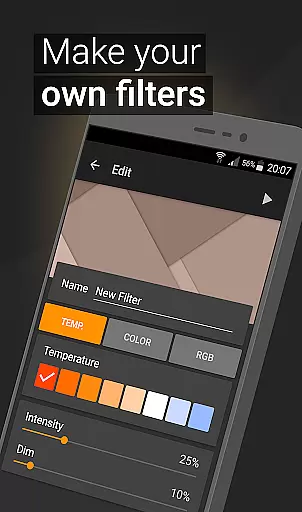
The application provides premade filters as a starting point, but its true strength lies in the ability for users to create their own blue light filters. With features such as temperature customization, color selection, and RGB adjustments, users can design a dark mode that perfectly suits their environment and comfort levels.
By allowing users to set automatic schedules for when these personalized settings are activated, Night Shift ensures that the transition between different lighting modes is seamless and aligns with personal routines. This level of personalization not only enhances user convenience but also maximizes the health benefits associated with proper screen dimming.
Ultimately, Night Shift's personalized planning empowers users to take control of their digital experience, promoting better sleep patterns and reducing potential eye strain or headaches caused by prolonged exposure to bright screens during nighttime hours.
Progress visualization is an essential feature for users who wish to monitor their journey towards improved eye health and sleep quality. While Night Shift does not provide traditional progress charts, it offers visual feedback through its customizable filter settings, which serve as indicators of a user's proactive steps in eye care.
With each adjustment made to the screen's brightness, color temperature, or RGB values, users can visually see the changes on their display. This immediate visual response serves as a form of progress visualization, reinforcing the positive actions taken to mitigate the effects of blue light exposure and protect against insomnia and headaches.
Night Shift's scheduling feature further enhances this visual experience by automatically applying these personalized settings at designated times. Users witness a consistent and timely adaptation of their screen environment, serving as a reminder of their commitment to maintaining good eye health.
Although Night Shift may lack conventional progress tracking tools, its dynamic interface allows users to tangibly observe the impact of their choices, fostering a sense of accomplishment and encouraging continued use of the app's protective features for long-term well-being.
Effective blue light reduction
Customizable filter options
Automatic scheduling feature
Comprehensive eye protection
User-friendly interface
May affect color accuracy
Requires regular adjustments
Accessibility service needed
Learning curve for settings
Battery consumption increase

Relax to calm sounds, white noise, music, guided meditation and bedtime stories
 4.40
4.40
Control your sleep in real-time wearing Garmin device
3.60
Use your watch as a bike computer, heart rate monitor and cycling power meter
2.50
Load the bar with this barbell & plate calculator. It's leg day, not brain day!
4.70
Measure your Pupil Distance for Eyeglasses and VR headsets in 3 quick steps.
4.70
Memory, mind & logic exercises. Puzzle games, IQ & brain test for kids & adults
4.50
Download MadMuscles to start your positive body transformation!
4.30
Walk, track, and burn calories with step counter & GPS walking tracker
4.20
Blood Pressure Log, HRV & Heartbeat Tracker. Pulse Checker.
4.40
Get lasting results with Chair Yoga, Wall Pilates, and Walking workouts!
4.60
The Crunch Mobile app - Find a gym, manage favorites, reserve & cancel classes.
4.60
Point, scan, and unlock truth in every bite.
4.50
For Absolute Novices to Strength Training. Simple. Effective.
4.40
Get alert about getting out of desired heart rate zone.
4.10
Insanity blocks of intense physical activity, short breaks of 30 seconds.
4.2


User Reviews