
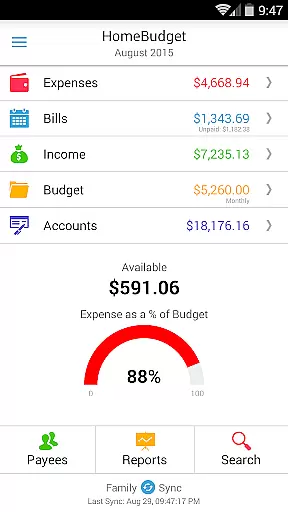
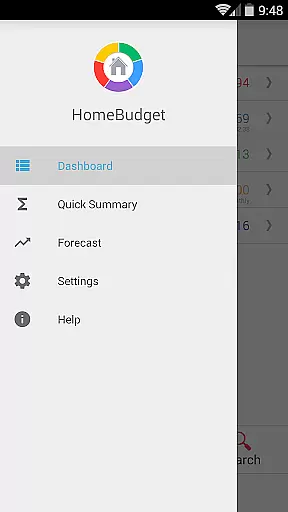
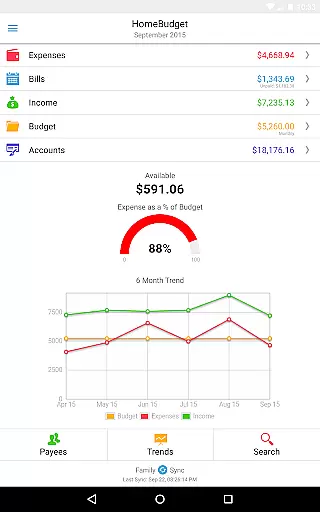
Home Budget with Sync is a comprehensive financial management application designed to help users track expenses, income, bills-due, and account balances across multiple platforms. Available on Android, iPhone/iPad, Windows, and Mac OS, this app offers instant data synchronization between devices, ensuring seamless access to your financial information wherever you are. The app stands out with its integrated feature set that allows bills to automatically convert into expenses while adjusting account balances simultaneously.
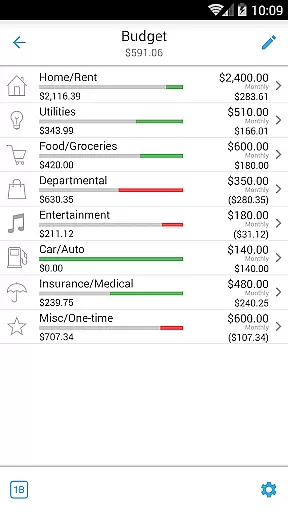
A key highlight of Home Budget is its Family Sync functionality, enabling multiple household devices to collaborate within a single budget. This advanced feature supports automatic over-the-air syncing of all financial data among family members, making shared budgeting effortless. With support for detailed budget analysis, bill tracking, and visual reports through charts and graphs, the app provides both novice and experienced users with valuable insights into their spending habits and financial health.
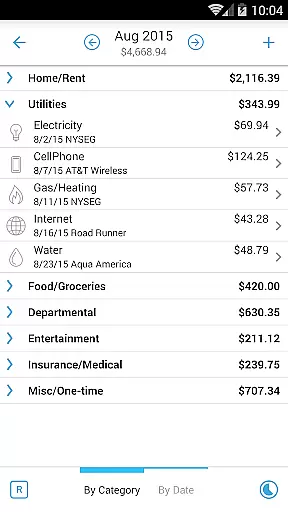
Home Budget with Sync boasts an extensive range of features tailored to simplify personal finance management. Users can easily create, edit, or delete entries for expenses, income, and recurring bills. The app's intuitive interface allows browsing these entries by month or category, with drill-down capabilities for more granular views. Additionally, attaching photo receipts and associating payees with transactions enhances record-keeping accuracy.
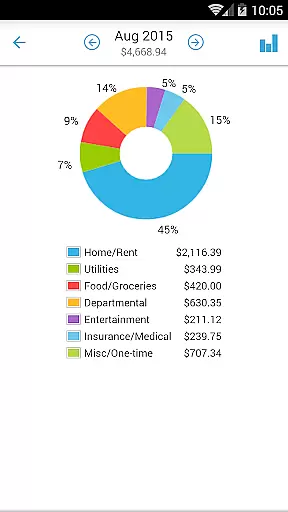
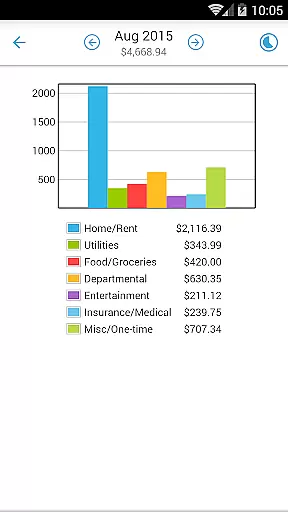
The app also excels in offering robust reporting tools. Users can generate trend charts for expenses, budgets, and income over the last six months, as well as pie/bar charts for expense breakdowns. These reports are exportable via email or WiFi, providing flexibility in sharing and reviewing financial data. Furthermore, Home Budget supports various account types like checking, savings, credit, debit, and cash, allowing precise tracking of account balances and facilitating transfers between accounts.
Security and customization are prioritized, with features such as password protection, backup/restore options, and the ability to upload custom category icons. The inclusion of a large numeric keypad and locale-specific settings ensures ease of use regardless of regional differences. Overall, Home Budget with Sync delivers a powerful yet user-friendly solution for managing personal finances effectively.
Account and fund security is a critical aspect of any financial management application. Home Budget with Sync ensures the safety of your financial data through multiple layers of protection.
The app provides password protection to prevent unauthorized access to your budgeting information. This feature ensures that only you can view and manage your expenses, income, and account balances. Additionally, the ability to backup and restore complete application data, including all receipts, means your information is safe even if you switch devices.
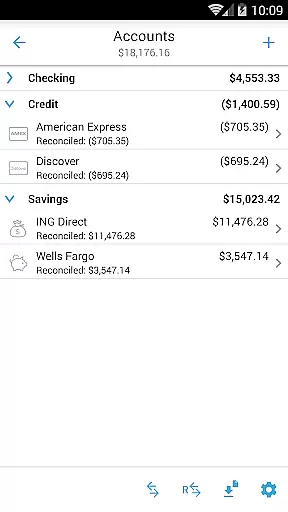
Furthermore, Home Budget supports various account types such as Checking, Savings, Credit, Debit, and Cash. By associating your expense and income entries with these accounts, the app accurately tracks account balances while maintaining security. The app follows your device's locale and region settings, ensuring that date and currency symbols are appropriate for your region, which adds another layer of data integrity.
With these robust security measures, users can confidently manage their finances without worrying about data breaches or loss of sensitive information.
A seamless transaction experience is essential for effective financial management. Home Budget with Sync offers an integrated set of features that streamline the process of tracking expenses and managing income.
One key feature is the ability to create, edit, and delete expenses and recurring expenses easily. Users can browse expense entries by month, category, or date, with the option to drill down for more details. This functionality allows for precise monitoring and categorization of expenditures.
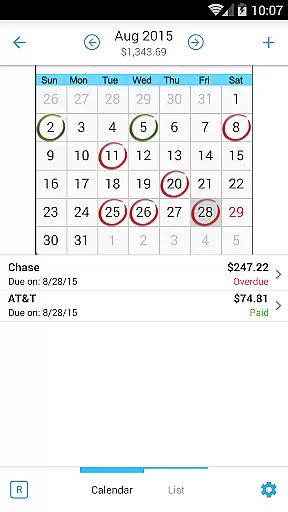
Additionally, Home Budget includes support for bills and bill payments. You can make payments on bills either as an expense or as a transfer, avoiding double accounting of expenses. The calendar and list view of bills, along with bill reminders, ensure you never miss a payment deadline.
These comprehensive transaction management tools provide users with a smooth and efficient way to handle their financial activities, enhancing overall productivity and peace of mind.
User-friendly interface
Comprehensive budgeting tools
Instant cross-device sync
Detailed financial reports
Secure data management
Separate purchase per platform
No free full version
Limited offline functionality
Occasional sync delays
Advanced features require learning

Play for fun, earn for real. Collect rent by owning virtual land & get cashback
 4.60
4.60
Secure, simple money transfer app. Send money to Mexico and worldwide fast.
4.80
Earn cash & save money daily. Access instant cash advances* - no credit check!
4.50
Retirement plan, IRA, retail and HSA customers serviced by Empower.
3.10
Manage and cancel subscriptions, lower bills, track expenses, create budgets.
4.60
Check EBT, SNAP, WIC balances, manage food stamps, and save money with benefits
4.80
Military retirement pay estimation calculator
4.70
Navigate your unique financial path confidently with help from Credit Karma.
4.70
Pay, bank & build credit.
4.70
Simple & secure international money transfers - for personal & business needs.
4.80
Currency Converter (200+ currencies) with live exchange rates and offline mode.
4.70
Get a cash advance instantly. File taxes & cover unexpected bills in minutes.
4.60
All your crypto & stocks in one secure and trusted app.
4.40
Invest, bank & save in one app. Trade stocks, earn high APY & budget smarter.
4.00
NFC mobile payment app Use your phone as a contactless bank card
4.00


User Reviews