
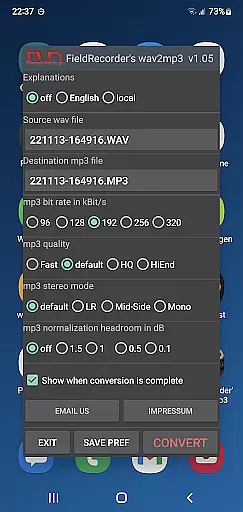
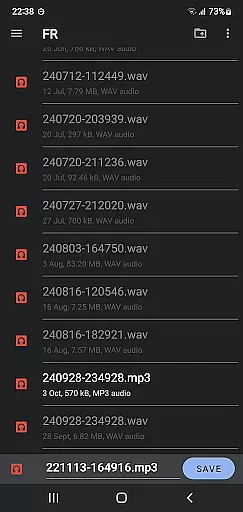
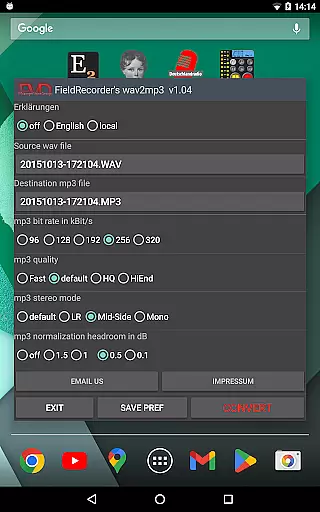
FieldRecorder's wav2mp3 is a streamlined audio conversion tool designed for users who need to convert WAV files to MP3 format without any hassle. The app eliminates common frustrations such as intrusive ads, rating prompts, and confusing options that often clutter similar applications. With its minimalist one-screen interface, users can effortlessly select source and destination files and initiate the conversion process with a single tap.
This application stands out due to its lightweight nature, boasting a download size of under 1.3MB thanks to optimized native code. Unlike other converter apps that average around 20MB, wav2mp3 offers swift background processing and clear error messaging when issues arise. Additionally, it assures user privacy by not collecting data or soliciting reviews, making it a trustworthy choice for privacy-conscious individuals.
For those seeking seamless integration, Field Recorder, the companion audio recording app, can remotely control this converter, keeping it hidden from view during operation. This feature, combined with flexible customization options for bitrate, stereo mode, and volume settings, makes FieldRecorder's wav2mp3 an ideal solution for both casual users and audio professionals alike.
FieldRecorder's wav2mp3 distinguishes itself through several notable features tailored to enhance user experience. First and foremost, the app provides a clean, ad-free environment devoid of rating requests and unnecessary screens, ensuring a distraction-free workflow. Its intuitive design allows users to complete conversions quickly in the background while maintaining transparency about any potential issues encountered along the way.
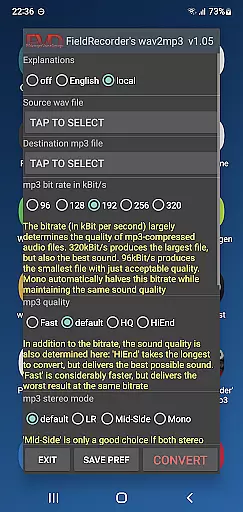
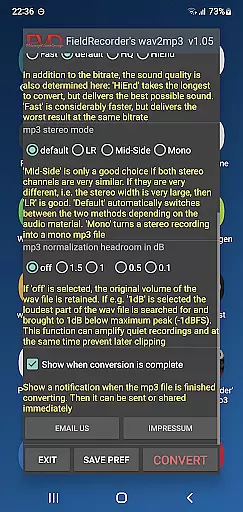
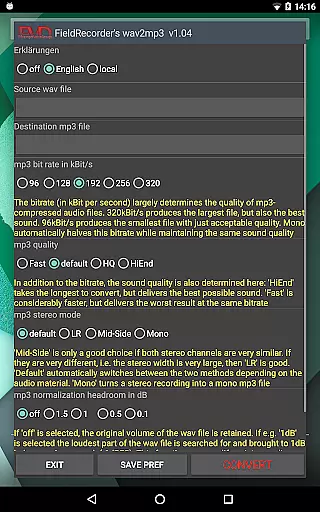
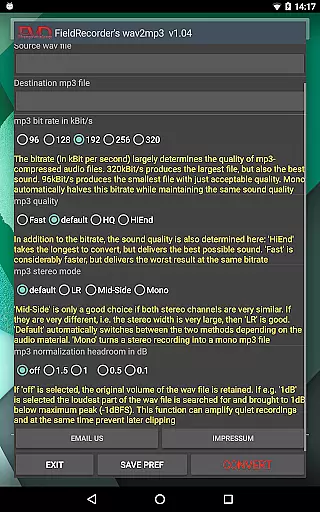
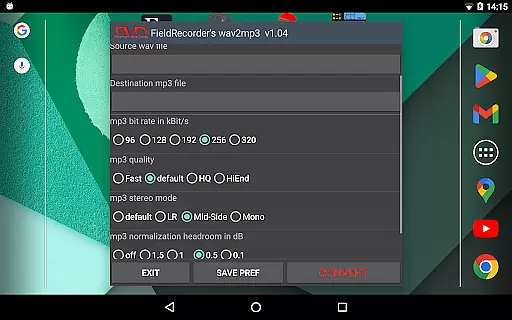
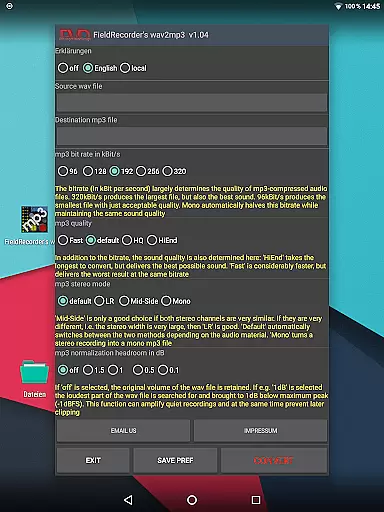
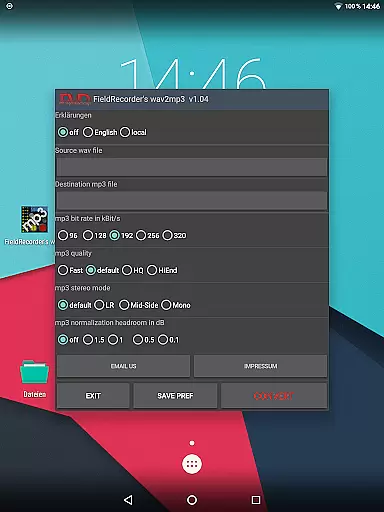
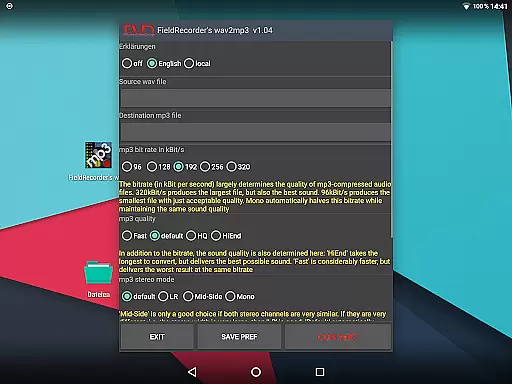
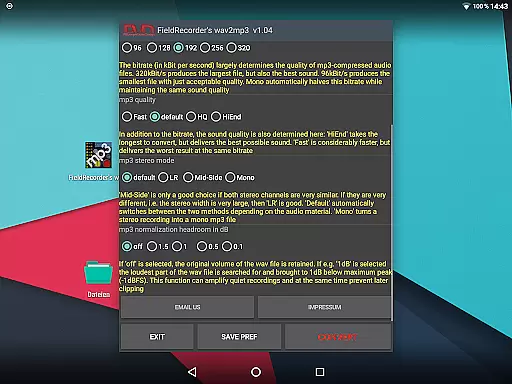
Customization is at the heart of this app’s functionality. Users can personalize various encoding parameters including bitrate selection (with presets for the five most common rates), complexity levels affecting sound quality versus processing time trade-offs, and stereo modes determining channel encoding strategies. Furthermore, advanced options enable specifying output volume normalization thresholds and toggling end-of-conversion notifications for immediate sharing or further processing capabilities.
Another standout aspect is its compatibility with the Field Recorder app, which permits invisible remote control operations. This synergy caters particularly well to power users requiring efficient workflows without compromising on flexibility or performance. Overall, these comprehensive yet accessible features make FieldRecorder's wav2mp3 a versatile tool suitable for diverse audio conversion needs.
FieldRecorder's wav2mp3 may not boast an extensive music library, but it excels in providing a streamlined and efficient conversion process from WAV to MP3 formats. The app focuses on quality rather than quantity, ensuring that each file you convert maintains the integrity of the original audio.
The application respects copyright by not collecting or sharing your data, which means your converted files remain solely yours without any legal concerns. This is crucial for users who deal with copyrighted material and need to ensure their conversions are legitimate and secure.
With its minimalist approach, the app offers preset options that cover common needs while allowing customization for specific requirements. These include bitrate selection, stereo mode, and volume adjustments, all of which contribute to creating high-quality MP3s tailored to individual preferences.
By prioritizing user privacy and offering practical features, FieldRecorder's wav2mp3 ensures that every converted track meets both personal and professional standards, making it a reliable tool for anyone looking to manage their audio files effectively.
FieldRecorder's wav2mp3 provides a range of audio quality options designed to give users control over the final output of their converted files. With five selectable bitrates, users can choose between higher quality audio at larger file sizes or lower quality for more compact files, depending on their needs.
The complexity setting allows users to determine how intricate the encoding process should be. More complex settings will take longer but can result in better sound reproduction, catering to audiophiles who demand the best possible listening experience.
Stereo mode options enable users to decide whether channels are encoded separately or combined based on similarity, affecting the spatial dynamics of the audio. Additionally, volume normalization ensures consistent playback levels across different devices, preventing unexpected loudness variations.
These customizable features empower users to fine-tune their audio conversion process, ensuring that the resulting MP3 files meet their exact specifications and deliver optimal performance regardless of the playback environment.
User-friendly interface
No ads or data collection
Lightweight and fast
Flexible encoding options
Remote control capability
Limited to WAV to MP3
No batch processing
Basic UI design
Fewer advanced features
Requires separate app for full functionality

Equalizer, Bass Booster and Volume Booster (Eq & Bass) improve sound quality
 4.30
4.30
Ultimate Sonos Controller
4.70
Unleash your creativity! Turn simple prompts into full fledged songs.
4.70
Voice recorder - Audio recorder. Best recorder for recording
4.90
No wifi music app. Mp3 offline. Tuner radio, young radio music. Music downloader
4.20
Music, News & Sports Radio Tuner App. Tune in Live FM & AM Radio Stations.
4.80
Make songs with AI! Any genre, custom lyric, song generator for music creation!
4.80
Offline Tunes, Unlimited Vibes
3.90
Listen to offline music and sounds from all categories
4.70
Pay Once, no monthly payment
4.60
A sleek, no-frills player designed for true music lovers.
4.20
Offline and always ad-free - stream in the highest quality available.
4.10
Next generation modular control surface
4.10
Permanently backup Now Playing. Maps, filters & listening stats.
4.00
Remove ads permanently from Music Visualizer
4.5


User Reviews