
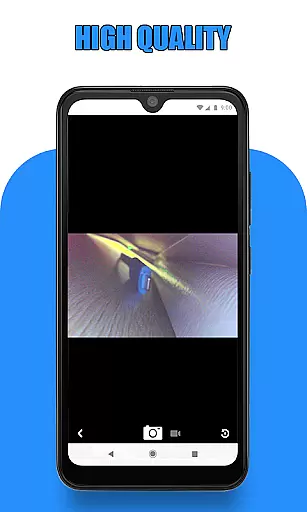
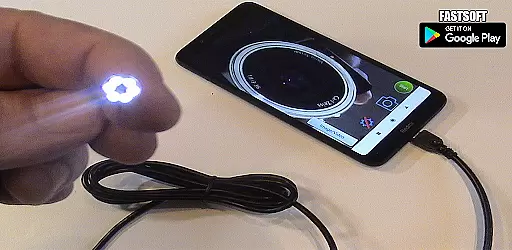
Endoscope Camera Connector is a specialized application designed to connect Android devices with external cameras such as endoscopes, USB cameras, or Borescope cameras. This app enables users to view live feeds, record videos, and capture images from these external devices directly on their smartphones. The app functions similarly to an OTG viewer, allowing seamless integration with UVC-compatible cameras through USB OTG or Type-C connections.
The primary value of Endoscope Camera Connector lies in its ability to transform your smartphone into a versatile inspection tool. Whether you're conducting plumbing repairs, sewer inspections, or examining hard-to-reach areas, this app provides a practical solution. By utilizing the phone's processing power and display, it eliminates the need for dedicated viewing equipment, making professional-grade inspection capabilities accessible to both hobbyists and professionals.
Endoscope Camera Connector offers several notable features that enhance its functionality. First, the app includes a built-in USB OTG checker, allowing users to verify their device's compatibility before attempting to connect external cameras. This feature ensures a smoother setup process and helps prevent connection issues.
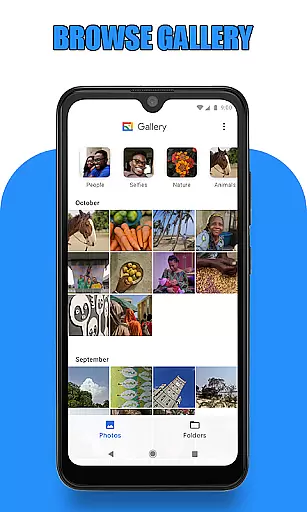
Once connected, users can access the camera feed directly within the app interface. The application supports basic camera operations such as capturing photos and recording videos with audio. These media files are automatically organized in a dedicated gallery section, where users can easily view, manage, and delete their captured content. The gallery implementation demonstrates attention to user experience, with intuitive navigation and clear deletion options.
Additional technical features include support for UVC-compatible cameras and automatic resolution adjustment based on the connected device's capabilities. The app maintains a straightforward interface while delivering essential functionality for various inspection tasks, from plumbing work to mechanical examinations.
Endoscope Camera Connector offers a comprehensive solution for connecting your mobile device with various external cameras. This app supports multiple devices, including USB cameras, Borescope cameras, and sewer inspection cameras. The functionality extends to reading, recording, and managing media files directly from these external devices.
The app works as an OTG viewer, enabling users to connect their external cameras via USB OTG or Type-C connections. Once connected, users can easily record videos with sound and manage their media files using the integrated gallery feature. This ensures that all necessary functions are covered, from basic connectivity to advanced media handling.
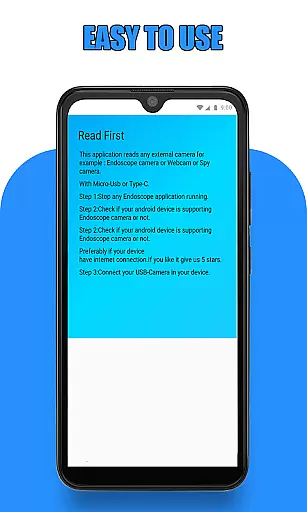
Before using the app, users should verify that their device supports USB OTG technology and that their camera is UVC-compatible. These prerequisites ensure seamless integration and optimal performance. By providing these detailed compatibility checks, the app guarantees a smooth user experience across different devices.
Overall, Endoscope Camera Connector delivers extensive functionality and coverage, making it a versatile tool for various applications such as drain inspections and other industrial uses.
Usability is a key aspect of Endoscope Camera Connector, designed to provide a smooth and intuitive user experience. Upon opening the app, users can effortlessly connect their endoscope camera via USB and start viewing live footage by simply clicking the camera icon. This straightforward process eliminates any unnecessary complications, ensuring that users can quickly begin their inspection tasks.
The app's interface is crafted to facilitate easy navigation and operation. Users can capture photos and record videos with minimal effort. Additionally, accessing the gallery to review captured media is equally simple. By sliding left on the gallery screen, users can switch between photos and videos, choosing their preferred media player for video playback.
Deleting unwanted media is also streamlined within the app. Users can long-press on any photo or video in the gallery to reveal the delete option, allowing for efficient media management. These features collectively enhance the operational smoothness of the app, making it accessible even to those who may not be tech-savvy.
In summary, Endoscope Camera Connector excels in usability and operational smoothness, offering an intuitive and efficient platform for managing external camera devices.
User-friendly interface
Wide device compatibility
Efficient media management
Real-time camera viewing
Practical inspection tool
Limited advanced features
Device compatibility issues
No cloud integration
Basic video quality
Occasional connection problems

Identify securely online
 3.10
3.10
Test DPC is a sample device policy controller for use with Android Enterprise.
4.20
Zlink Carplay Android a mirror link app with a Carplay interface style
4.1
Demo version of the mcpro24fps manual video camera. Try and buy a full version!
4.00
Turn your phone into a wireless Xbox controller – play, stream & control anytime
4.2
An impressive collection of tools, characters, weapons, skins and more!
4.30
DamonSx2 is the open Source LGPL Emulator
3.20
Mirror phone to TV effortlessly! Stream, share & connect with Airplay ease.
3.60
The best PS2 games from your childhood come to life in their mobile version!
4.00
Study Bible King James Version: the correct way to learn the Bible with audio
4.80
TV USB connector app provides you a seamless cast option from your phone to tv.
4.70
Manage apps & elevate your gaming experience with Game Launcher: Gaming Hub app.
4.30
Game Booster GFX for smoother gaming experience. Enjoy 120 FPS and 4x Game Space
4.20
Unlock the hidden menus of your phone with our mobile secret codes app.
4.20
Connect and find your Smart Tag 2 devices through our app.
3.60


User Reviews